Perps Agent
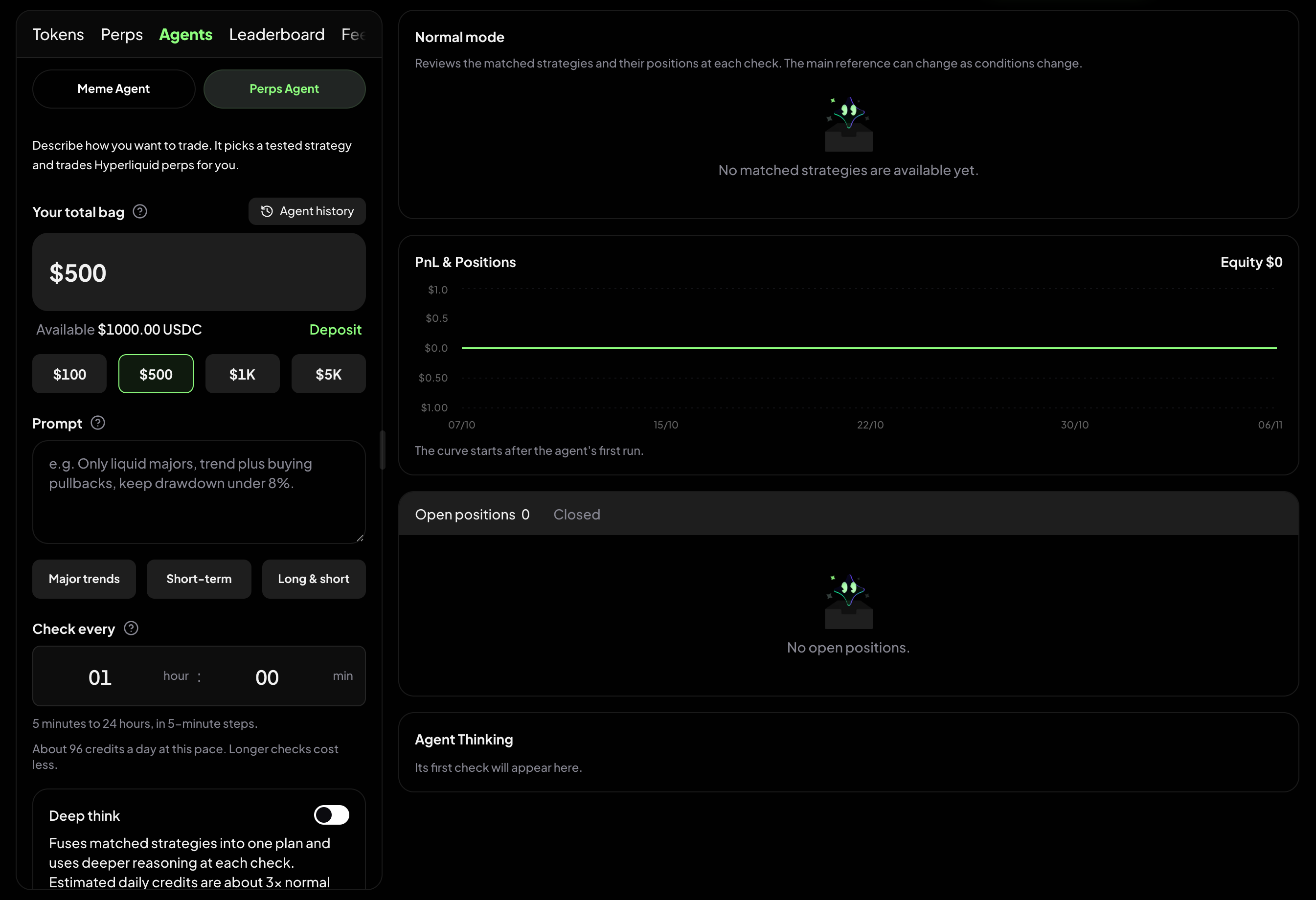
Perps Agent trades Hyperliquid perpetuals for you. You describe how you want to trade in plain words, set a budget and your risk limits, and the agent matches your idea against a library of tested strategies. Once you start it, it checks the market on your schedule and opens, adjusts and closes positions in your own Hyperliquid account.
Find it at: Crypto Trade in the left menu on the web → Agents tab → Perps Agent (/crypto-trade/agent-warrior?agent=perps). The same Agents tab also holds the Meme Agent, which trades Solana meme coins instead.
1. How it works
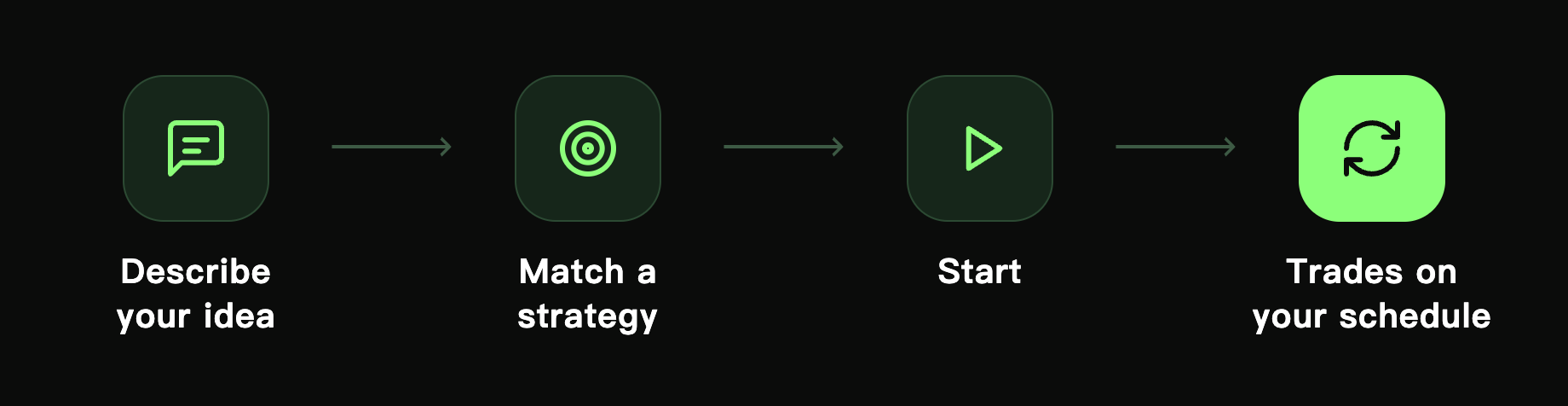
- Set up your budget, prompt, check interval and risk limits.
- Find strategies — Alphio AI scores the strategy library against your idea and keeps the top 5.
- Review the match — you see the best match (or a blended plan in Deep think), plus the budget, check interval, estimated Credits per day and limits.
- Start — the first time, you approve Hyperliquid once so the agent can place orders. The first check runs right after you start.
- It runs on schedule — at every check the agent reviews its positions and decides what to do, always inside your limits.
Nothing trades until you press Start. Finding strategies and every check consume Credits.
2. What you need before you start
| Requirement | Why |
|---|---|
| USDC in your Hyperliquid account | The agent trades with the free balance in your Hyperliquid account, up to the budget you set. If your budget is more than what is free, the button changes to Deposit to Hyperliquid |
| A one-time Hyperliquid approval | Lets the agent place orders for you. The start button reads Approve Hyperliquid & start until you have approved |
| Credits | Matching strategies and every check consume Credits |
The agent trades in your own Hyperliquid account and shares that balance with any perps you trade yourself. Only one Perps Agent can run at a time.
3. Set up
Your total bag
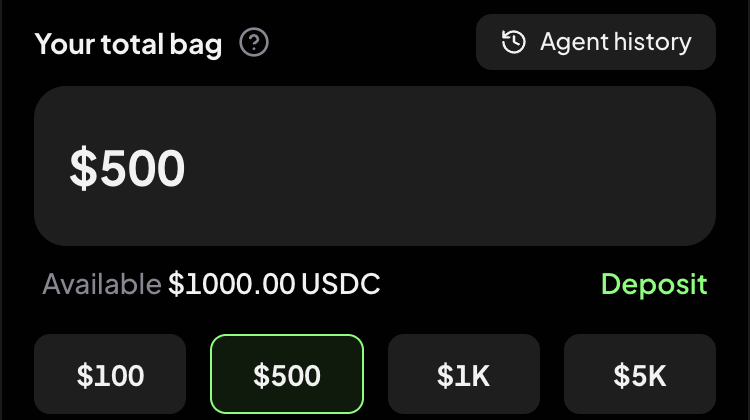
The most margin the agent may use. Pick $100, $500, $1K or $5K, or type an amount. The minimum is $11.
The budget is a cap for this agent, not your whole account balance. Available under the field shows the free USDC in your Hyperliquid account; select Deposit to add more.
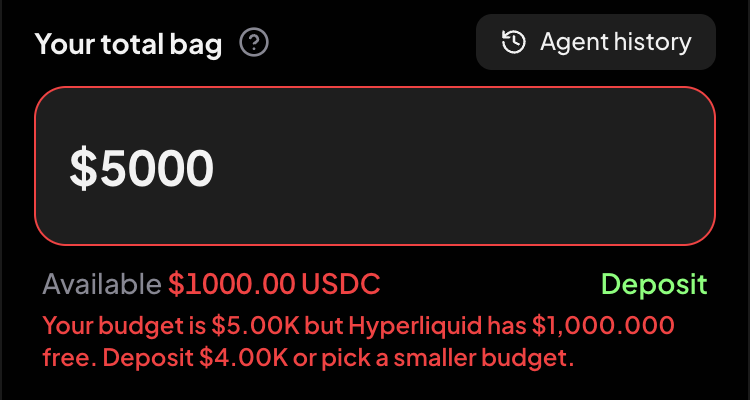
If the budget is larger than your free balance, the form tells you how much to deposit:
Prompt
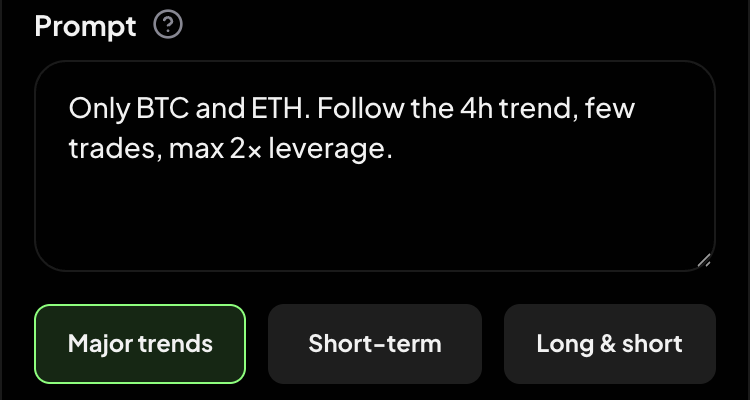
Describe how you want to trade, in plain words (up to 1,000 characters). You don't need indicator settings. A useful prompt says:
- What to trade — for example only BTC and ETH, or liquid coins only
- Style — trend following, buying pullbacks, short-term, long and short
- How often — few trades, or more active
- What to avoid — for example never average down, keep drawdown low
Example: "Only liquid majors, trend plus buying pullbacks, keep drawdown under 8%."
The three presets — Major trends, Short-term and Long & short — fill in a starting prompt you can edit.
Check every
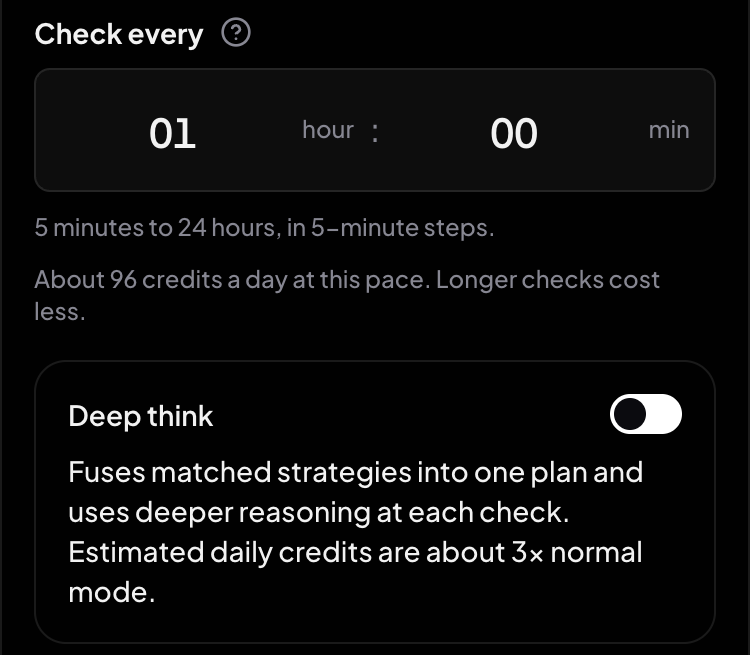
How often the agent wakes up to review positions and look for new trades: anywhere from 5 minutes to 24 hours, in 5-minute steps. The default is 1 hour.
Shorter intervals react faster but run more checks, so they use more Credits. The line under the picker gives a rough daily Credits estimate for the interval you chose.
Deep think
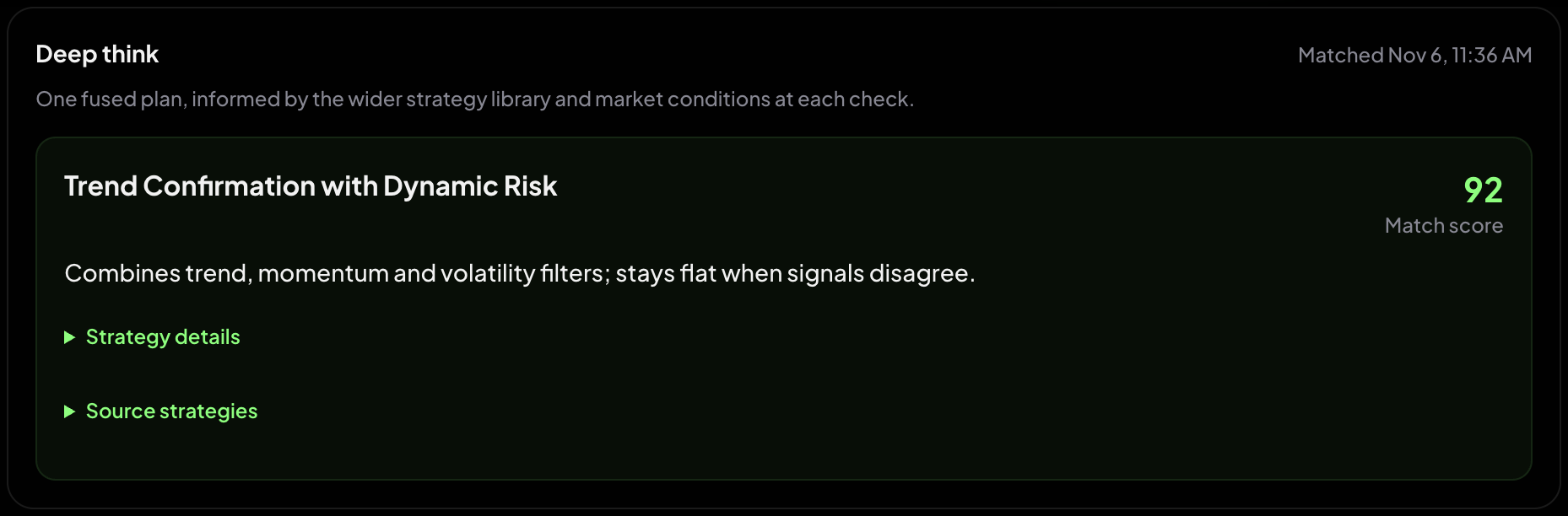
Off by default. Turn it on and the agent blends the top matched strategies into one plan and reasons more deeply at every check. It takes longer to match (usually 1–2 minutes) and uses noticeably more Credits per day. Leave it off unless you want a more tailored plan.
Risk limits
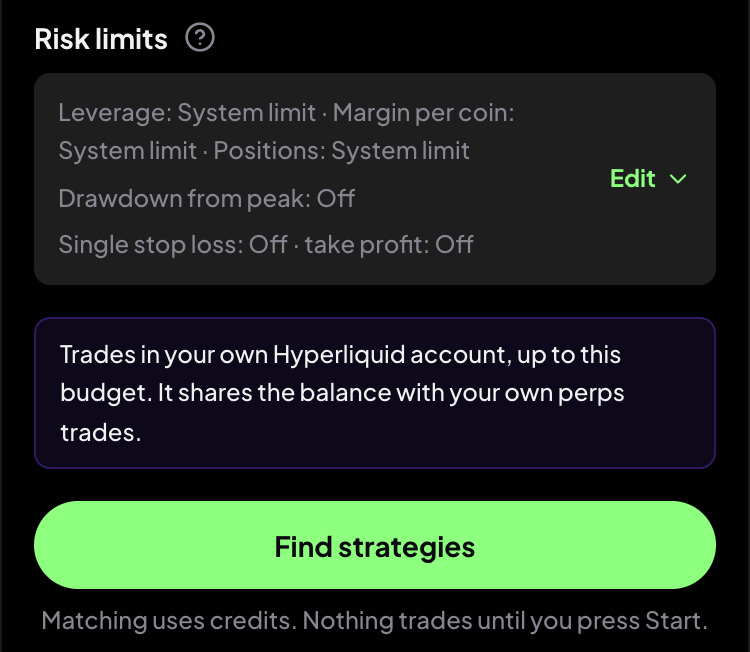
Your risk limits are hard rules: they always win over the prompt and the strategy. Select Edit to change them.
| Limit | What it does | If left blank |
|---|---|---|
| Max leverage | The highest leverage any position may use (1–50×). The strategy can use less | System limit |
| Max position per coin | The largest share of this agent's budget one coin may take (1–100%) | System limit |
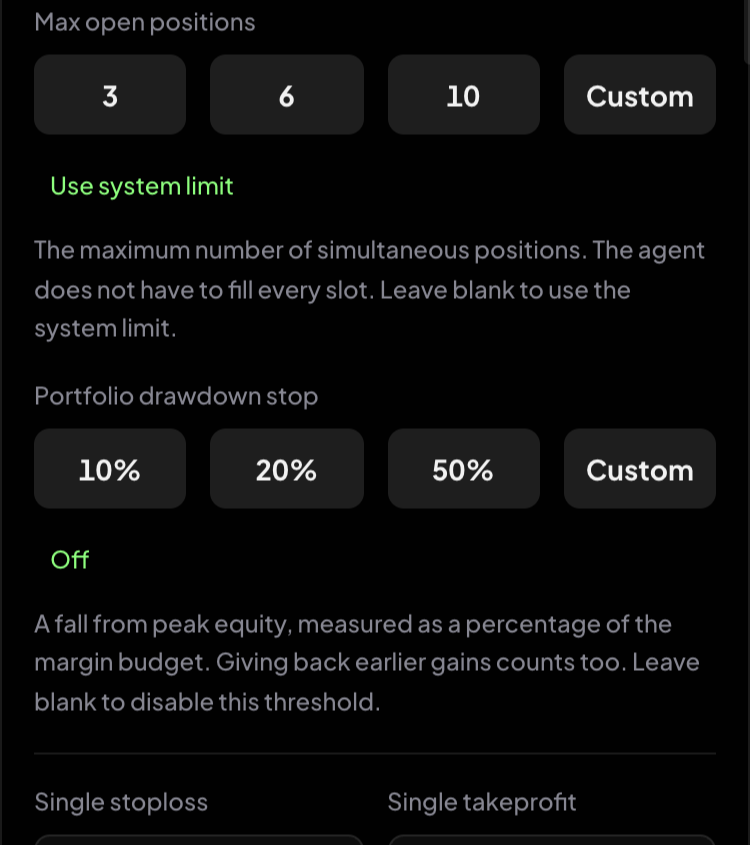
| Max open positions | How many positions it may hold at once (1–20). It does not have to fill every slot | System limit |
| Portfolio drawdown stop | A fall from the agent's peak equity, as a % of the budget. When hit, the agent closes all its positions and pauses. Giving back earlier gains counts too | Off |
| Single stoploss / Single takeprofit | Close a single position at this return on margin (including leverage and fees). Stop loss 5–100%, take profit 5–10,000% | Off — the strategy's own exits still apply |
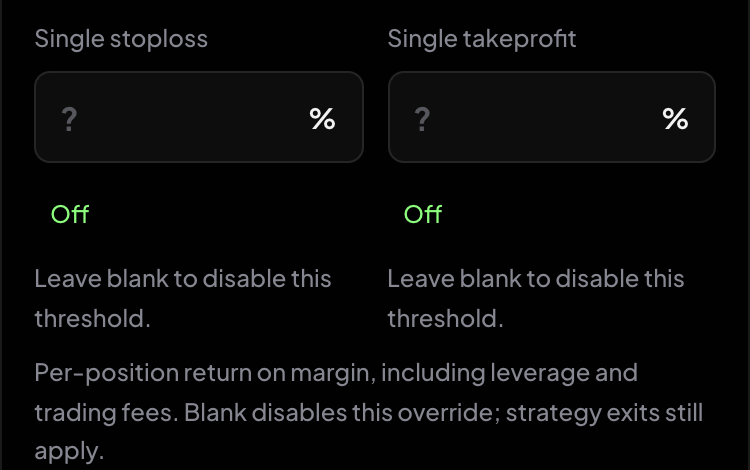
Not sure? Leave them blank. The tighter the limits, the more conservative the agent.
4. Find strategies
Select Find strategies. Alphio AI reads your idea, scores the strategy library and picks the top 5 (or, with Deep think, blends them into one plan). Normal matching usually takes under a minute. Keep the page open.
If no strategy scores 65 or higher, the agent won't start. Try a wider coin list, a longer holding time or a higher drawdown stop, then find strategies again.
Matching consumes Credits, but nothing is traded yet.
5. Review the match and start
The left panel shows Your match with a READY tag:
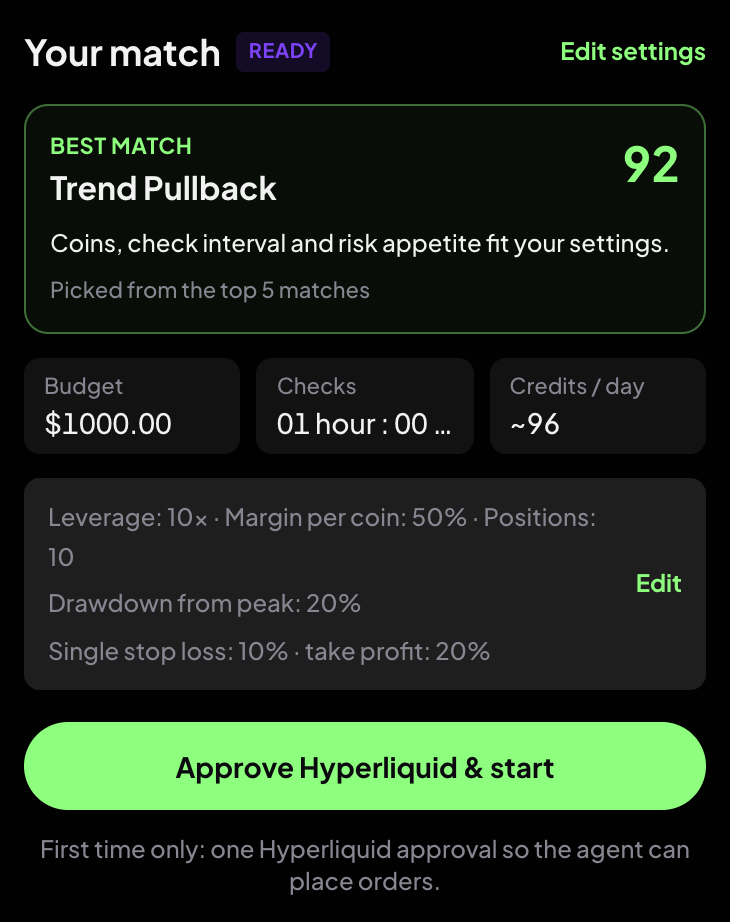
- Best match — the strategy the agent starts with, its match score, and why it fits
- Budget, Checks and Credits / day — the daily Credits estimate for this setup
- Your risk limits, with Edit to change them
- Edit settings — go back to the form
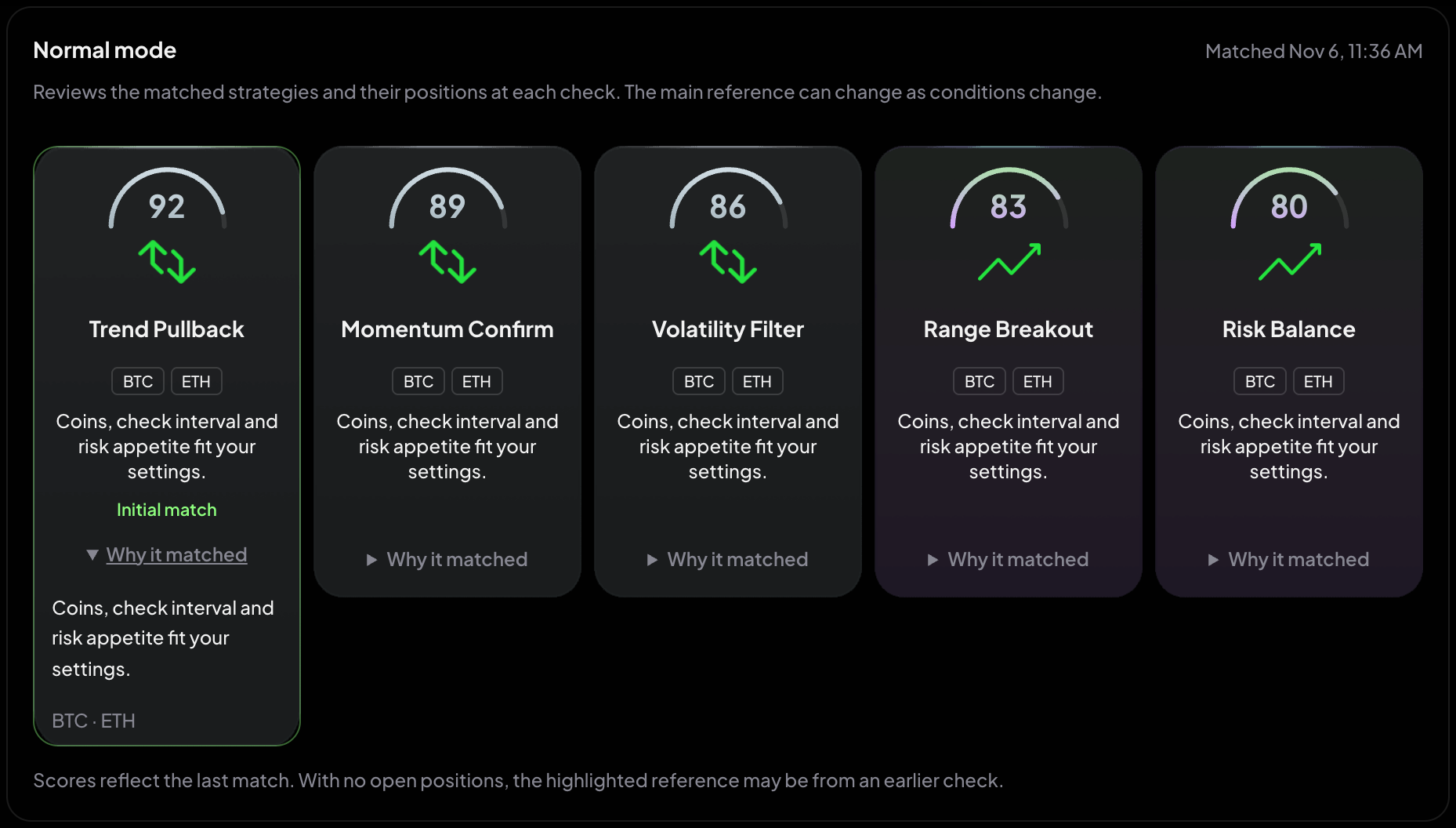
The right panel shows the 5 candidate strategies. Each card has its match score (higher means closer to your idea), the coins it trades and a short description. Open Why it matched for the reasoning. The highlighted card is the one the agent is following.
With Deep think on, you get one blended plan instead. Open Strategy details to see its coins, long and short entries, position sizing, take profit / stop loss and pause conditions, and Source strategies for the strategies it was built from.
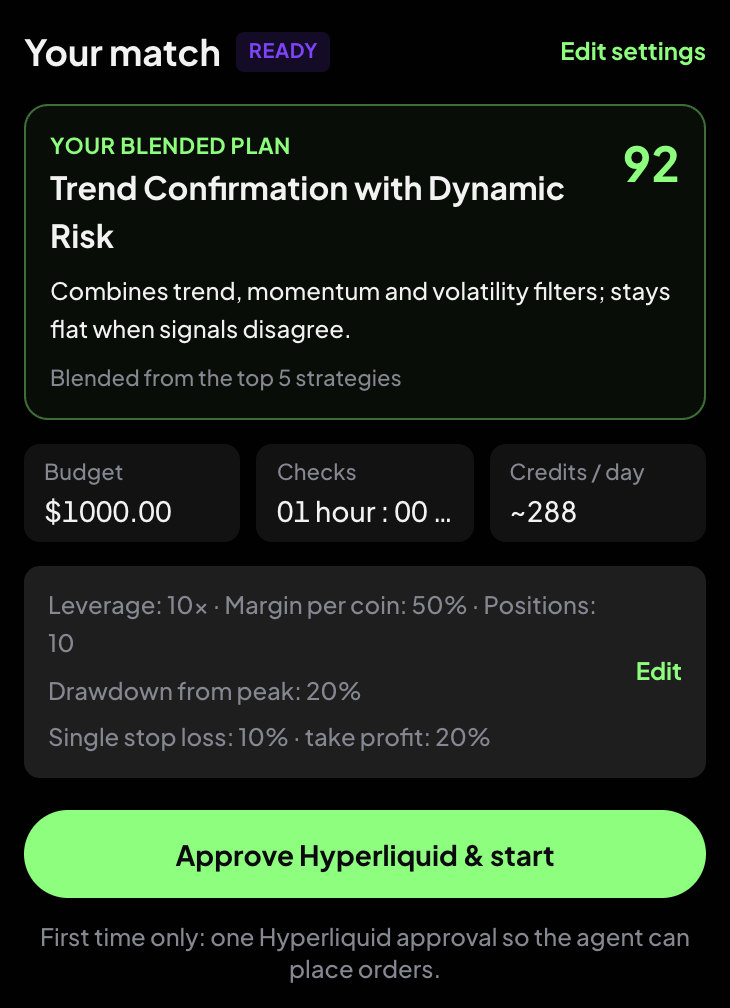
Select Start agent (or Approve Hyperliquid & start the first time). The first check runs right away.
6. Watch it run
Session
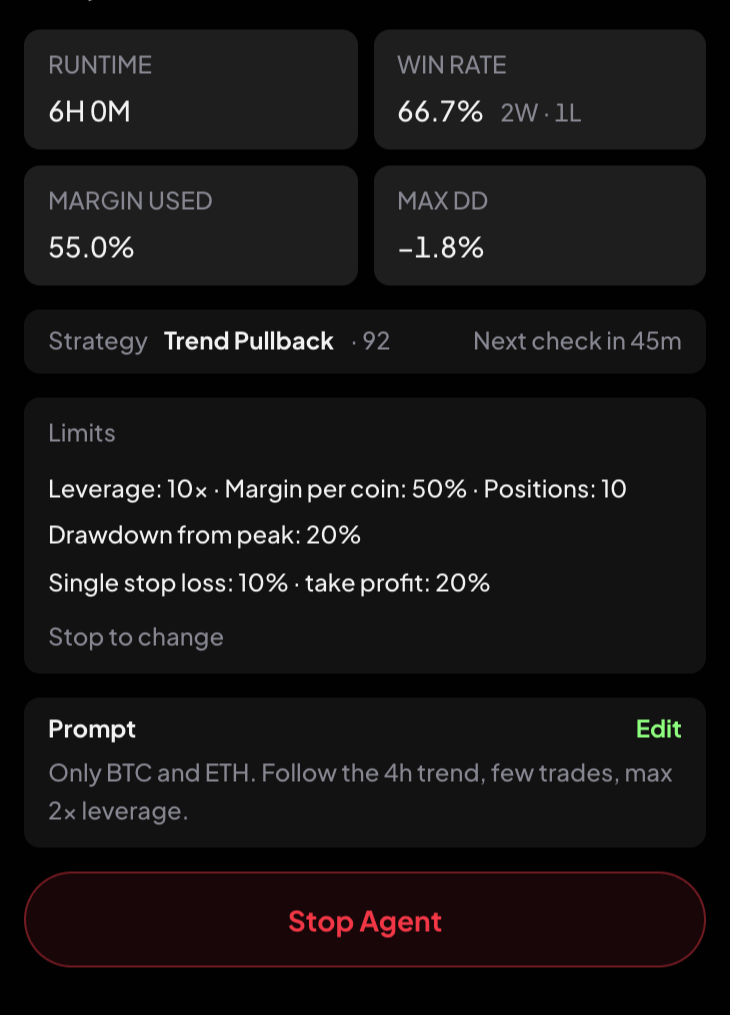
| Item | Meaning |
|---|---|
| RUNNING / PAUSED / STOPPING | The agent's current state |
| Equity and % | The agent's current value, including unrealized PnL, and its return since start |
| RUNTIME | How long it has been running |
| WIN RATE | Share of winning trades, with the win / loss count |
| MARGIN USED | Margin in use as a share of the budget. Near 100% means it is close to fully invested |
| MAX DD | The deepest fall from a high point so far |
| Strategy | The strategy it is following and its score, and when the next check runs |
| Limits | Your risk limits. They are locked while the agent runs — stop it to change them |
| Prompt | Your idea. Edit lets you change it while running (see below) |
Changing your prompt while running: Save & re-match finds a new match right away and uses Credits. Budget, limits and open positions stay as they are. If nothing scores 65 or higher for the new idea, the agent keeps its current strategy.
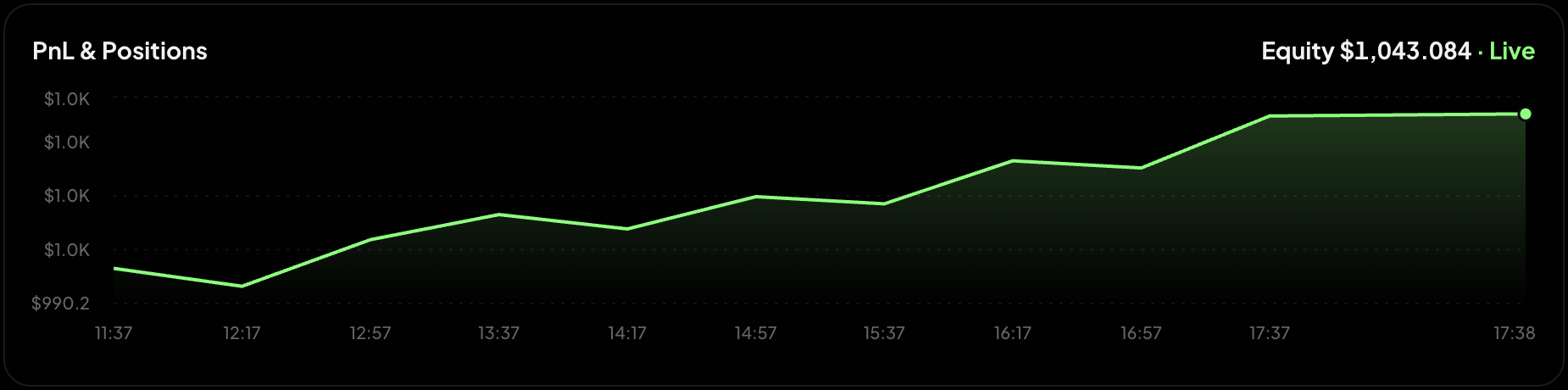
PnL & Positions
The equity curve shows the agent's value over time. It starts after the first check and shows Live while prices are streaming.
Open positions lists what the agent holds: asset, open time, side and leverage, margin, notional and unrealized PnL. Expand a row for the entry and mark price, take profit and stop loss, and the agent's latest note on that position.
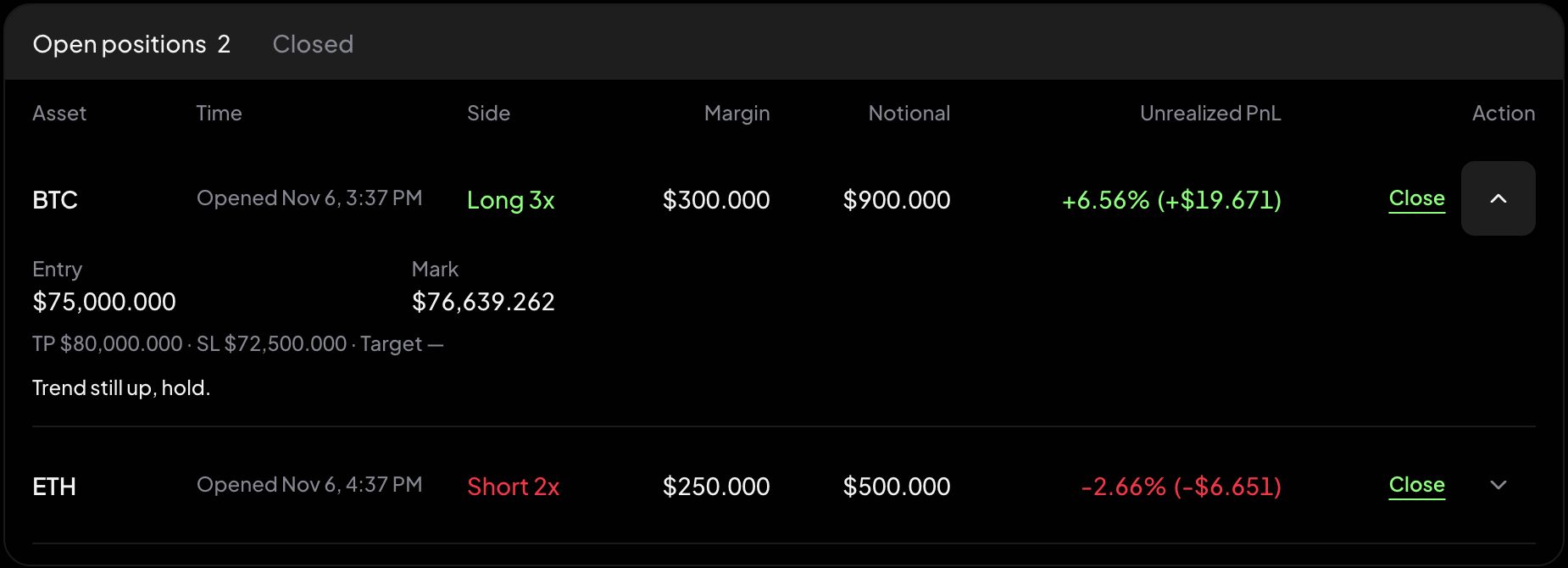
To close one position yourself, select Close, then Tap again to close.
Closed lists finished trades with their realized PnL and exit reason: Take profit, Stop loss, Time exit, AI exit, Portfolio drawdown stop, Closed by you, Strategy retired or Liquidated.
Agent Thinking
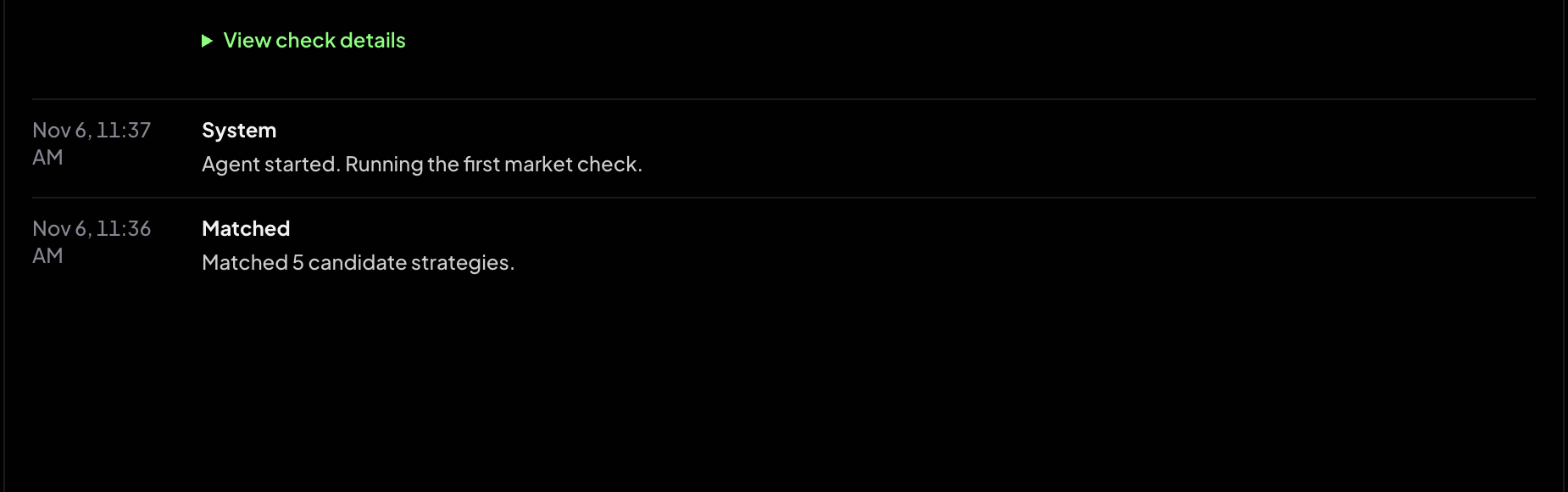
A timeline of what the agent saw and decided at each check, plus system events such as when it was matched or started. Open View check details for the reference positions recorded at that check and the Credits it used. It explains the agent's decisions; it is not the order itself.
7. Pause and resume
A paused agent does not run new checks. Its positions stay open with their stop loss and take profit, but nothing else is managed until you resume.
| Why it paused | What to do |
|---|---|
| Out of Credits | Top up credits, then Resume |
| Hyperliquid approval expired | Re-approve & resume |
| No trade for a long time (it pauses to save Credits) | Resume, or change your prompt first |
| The portfolio drawdown stop was hit — it closed its positions | Review, then Resume |
| Another risk rule | Review, then Resume |
Resuming resets the drawdown budget and peak to the current equity.
8. Stop
Select Stop Agent and choose how to stop:
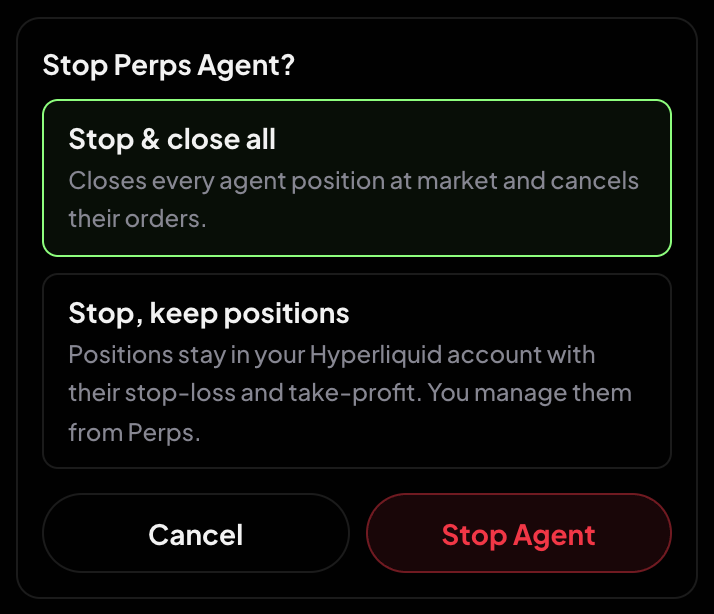
- Stop & close all — closes every agent position at market and cancels their orders
- Stop, keep positions — the positions stay in your Hyperliquid account with their stop loss and take profit. You manage them yourself from Perps
The agent can also stop on its own — for example when its strategy is retired from the library, when orders keep failing, or when Hyperliquid data is unavailable for several checks in a row. The panel shows the reason.
A stopped agent shows Last session with its results. Start again keeps your idea and limits and finds a fresh match.
Agent history
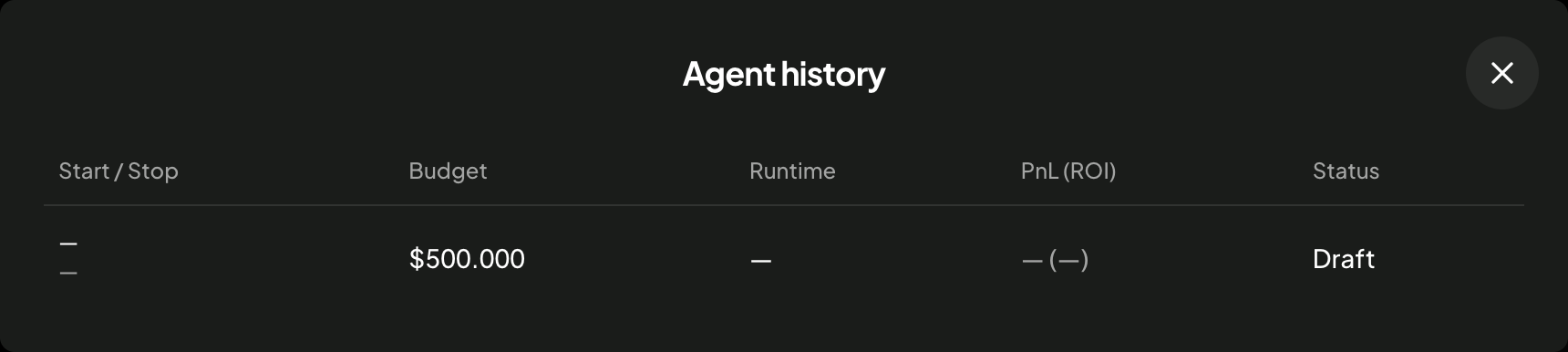
Agent history (next to Your total bag) lists your past Perps Agents with start and stop time, budget, runtime, PnL (ROI) and status.
9. Tips
- Say what you want and what you don't. A short prompt with clear preferences and no-go rules works better than a long one.
- Risk limits are hard rules. The stricter they are, the more conservative the agent.
- The budget is a cap, not your balance. The agent shares your Hyperliquid balance with your own perps trades.
- Watch Credits. Shorter check intervals and Deep think use more. If Credits run out, the agent pauses.
- The dashboard is for watching. To change what the agent does, edit the prompt, stop it, or close a position yourself.
Perps trading uses leverage and can lose more than you expect. See Margin and leverage and Liquidations.
This page is available as plain Markdown at https://alphio.ai/docs/trade/perps-agent.md. An index of every page, with a one-line summary each, is at https://alphio.ai/docs/llms.txt.