Event Signal Tutorial
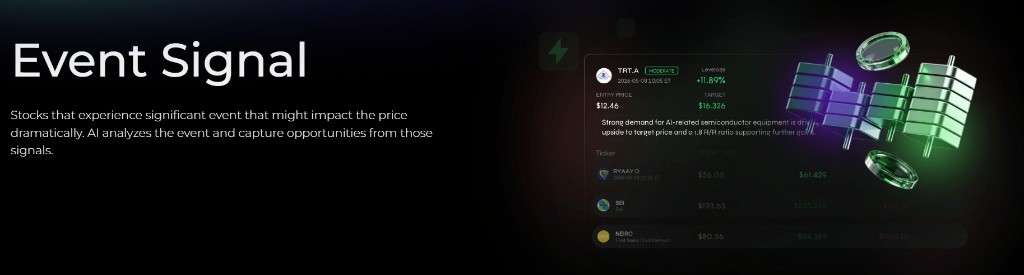
Event Signal highlights stocks experiencing significant catalysts that may move price dramatically. AI analyzes the event, structures the trade setup, and helps you act on those opportunities with clearer context and risk control.
Try the demo below:
Find it at: /event-signal — or, on the home page (Dashboard), click the Event Signal card in the Copy Stock Signal row (web and app).
Stock Event Signal is available on Plus and above; Copy Trade also requires Plus and above. The pricing table separately lists a Crypto Event Signal at Elite and above. See Subscription tiers.
1. What it is
Event Signal is a stock-focused, event-driven product designed for traders who want to act on meaningful catalysts rather than only on pure technical setups.
Typical signals are built around events such as:
- earnings-related developments
- clinical-trial outcomes
- FDA or regulatory decisions
- mergers and acquisitions
- buyback announcements
- major funding, partnerships, or sector momentum shifts
The idea is simple: when a catalyst materially changes the market narrative, Event Signal turns that information into a clearer trade plan.
2. Strategy performance snapshot
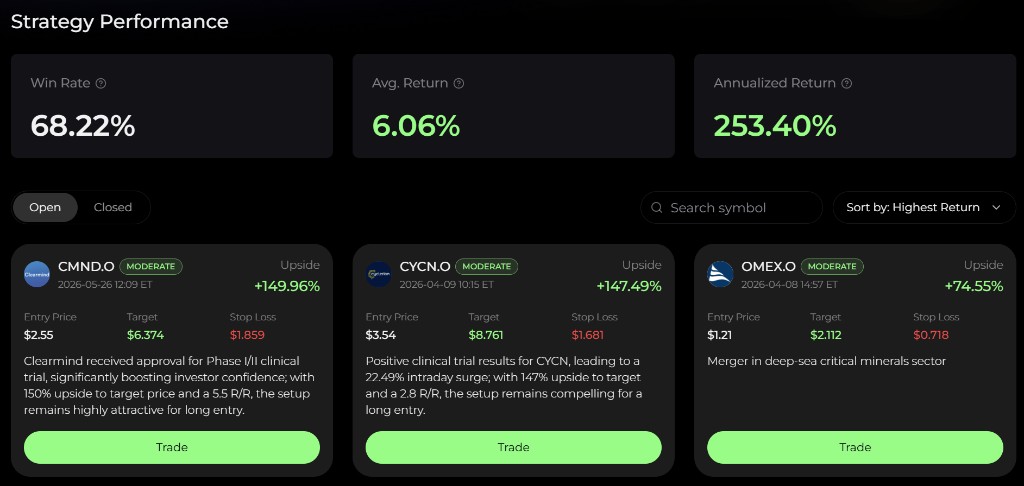
At the top of the page, Event Signal shows a compact performance panel that helps you understand how the strategy has been behaving.
Common metrics include:
| Metric | What it means |
|---|---|
| Win Rate | Percentage of completed signals that finished profitably |
| Avg. Return | Average realized return across the tracked strategy history |
| Annualized Return | A normalized view of historical signal performance, useful as context rather than a promise |
This performance strip gives you a high-level read on whether the event-driven logic has been translating into usable trade outcomes.
3. Signal cards
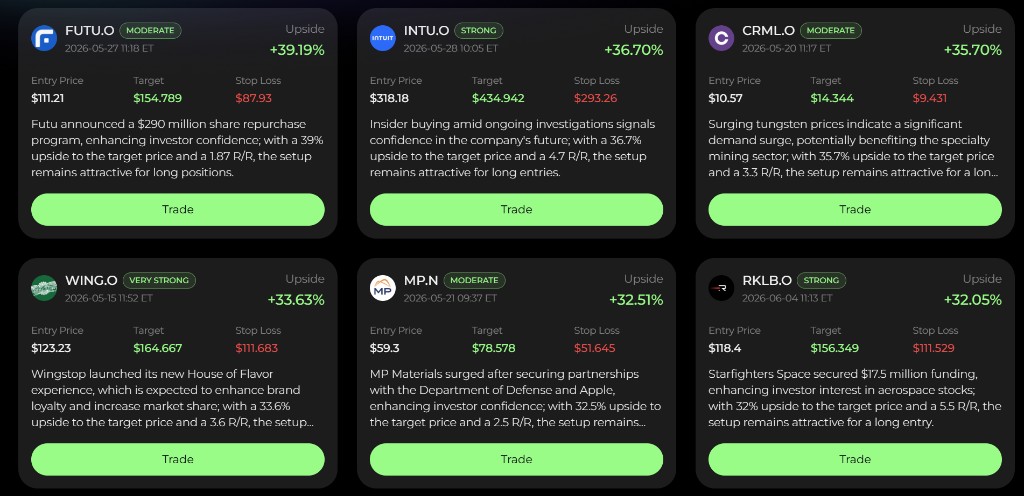
Each Event Signal card is meant to be a complete, catalyst-aware trade setup.
Typical fields include:
- Symbol - the stock ticker
- Signal strength - labels such as Moderate, Strong, or Very Strong
- Timestamp - when the signal was issued
- Entry Price - the preferred entry level
- Target - the projected target level
- Stop Loss - the risk boundary for the setup
- Return / Upside - current or realized return context
- Exit marker - where the target was reached or the trade was exited
- AI catalyst summary - a plain-language explanation of the event and why it may matter
This makes the card more than just a ticker alert. It becomes a compact event thesis with a defined execution structure.
For example, the AI may explain that:
- a biotech trial hit its endpoint
- a mining name is benefiting from sector demand
- an AI-related semiconductor supplier is seeing renewed revenue expectations
That extra context helps you understand why the setup exists, not just that it exists.
4. Open and closed views
Event Signal separates opportunities into two main views:
- Open - live opportunities that still have an active setup
- Closed - completed opportunities with realized outcomes
The Open view is where you look for fresh catalyst-driven trades that still have room to play out.
The Closed view is useful for review. It shows how targets, exits, and realized returns behaved after the catalyst was published.
That closed-history view is especially valuable in event trading, because it helps you understand whether the product tends to identify meaningful events consistently or just captures occasional outliers.
5. How to use it
You can follow Event Signal with a simple workflow:
- Start at the performance panel. Use Win Rate, Avg. Return, and Annualized Return as high-level context.
- Scan the open list. Search by symbol, or sort by Highest Return, Latest, or Last Updated, to focus on the most compelling current opportunities.
- Read the catalyst summary. Make sure you understand what event is actually driving the setup.
- Plan around the structure. Use the entry, target, and stop-loss levels to define your trade before executing.
- Review closed signals regularly. This helps you build intuition for which event types are behaving best in the current market.
To have Event Signal entries executed for you, click Copy Trade in the page header and connect a US stock broker account (Plus and above). See Copy trading.
Without a Plus or higher plan, the first open signal is shown as a free sample and the other open cards hide their ticker. Closed signals always show the real ticker, because they are historical results.
This product works best when you use the event narrative and the trade structure together, not in isolation.
6. Best practices
To get the most out of Event Signal:
- Prioritize clarity of catalyst. The strongest setups are usually the ones where the event impact is easy to understand.
- Respect stop-loss levels. Catalyst-driven names can move sharply in both directions.
- Avoid chasing after large gaps. If price is already far beyond the planned entry, the risk/reward may no longer hold.
- Compare event types over time. Some periods favor biotech approvals, others favor AI infrastructure or sector breakouts.
- Use the closed list as training data. Reviewing completed signals is one of the fastest ways to understand what this product does well.
7. Final thoughts
Event Signal is designed to make event-driven trading more structured.
Instead of reacting to headlines with no framework, you get a trade setup with catalyst context, entry, target, and stop-loss already mapped out. That makes it easier to move quickly while still keeping risk disciplined.
Used well, Event Signal helps turn major market events into more actionable trading opportunities.
This page is available as plain Markdown at https://alphio.ai/docs/discover/event-signal-tutorial.md. An index of every page, with a one-line summary each, is at https://alphio.ai/docs/llms.txt.