Quant AI Alpha Pick Tutorial
Quant AI Alpha Pick helps you follow an AI-built mid-term stock strategy with clearer portfolio updates, more disciplined execution, and less manual guesswork.
Try the demo below:
Find it at: /quant-ai — or, on the home page (Dashboard), click the QuantAI Alpha Pick card in the Copy Stock Signal row (web and app).
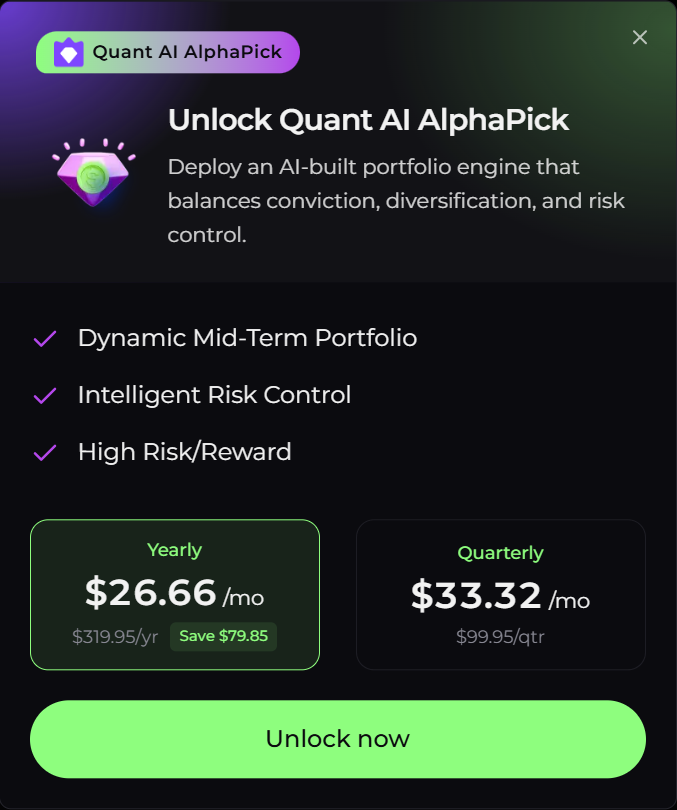
Sold separately as the Quant AI Alpha Pick strategy add-on (quarterly or annual). It is not included in any subscription tier, from Free through Enterprise.
1. Understanding Quant AI Alpha Pick
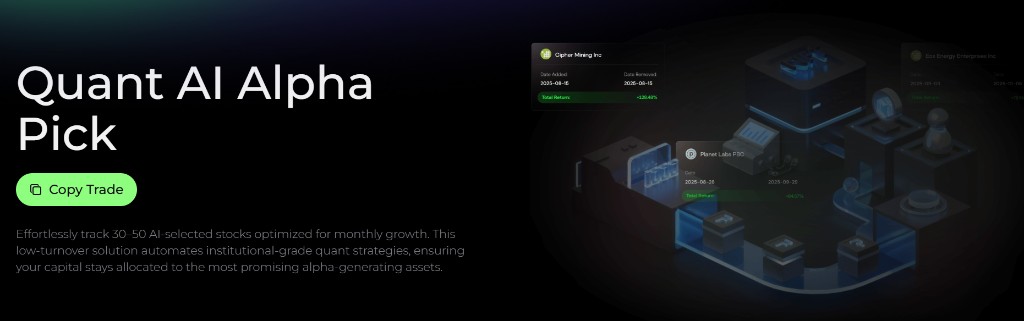
Quant AI Alpha Pick is Alphio's AI-driven mid-term investing strategy for US equities.
The strategy maintains a dynamic portfolio of 30 to 50 stocks, optimized for mid-term holding with low turnover and rebalanced on a monthly cadence. Under the hood, it combines price momentum, fundamental strength, and market sentiment to build a diversified basket of names with stronger alpha potential.
Risk control is built into the process. Each position carries its own stop-loss level, and the strategy can reduce equity exposure and shift toward cash when market conditions become unfavorable.
2. Key features
Quant AI Alpha Pick is designed to be easy to monitor and easy to follow:
- Daily portfolio updates - review the latest trades, removals, and current holdings from the in-app strategy page
- Notifications - when the strategy closes a pick that outperformed by a wide margin, Alphio can surface it as a Product Update notification
- Risk management - per-position stop-loss levels and the ability to shift toward cash help contain downside during weaker markets
The product is centered around two tabs:
- Portfolio - latest trades, current positions, and portfolio composition
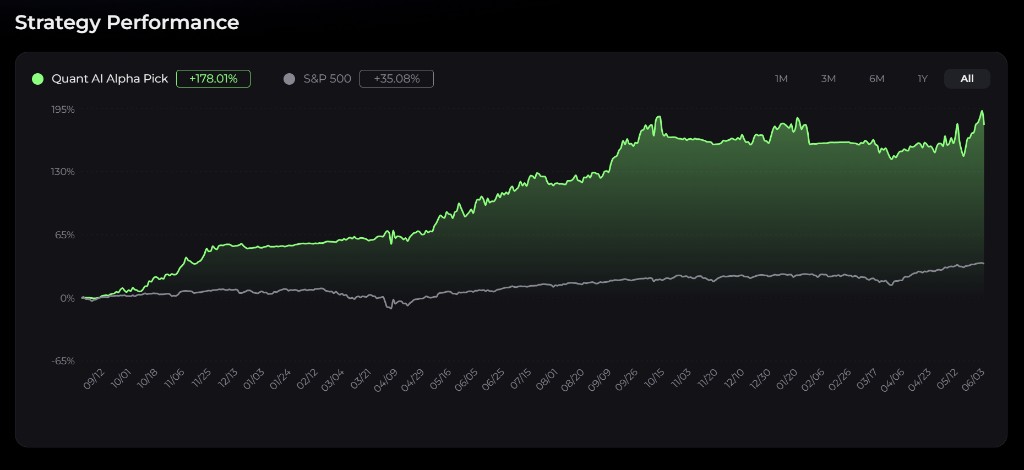
- Performance - cumulative return curve, benchmark comparison, and running statistics
3. How to follow the strategy
Monitor daily picks
Open Quant AI Alpha Pick and start from the Portfolio tab.
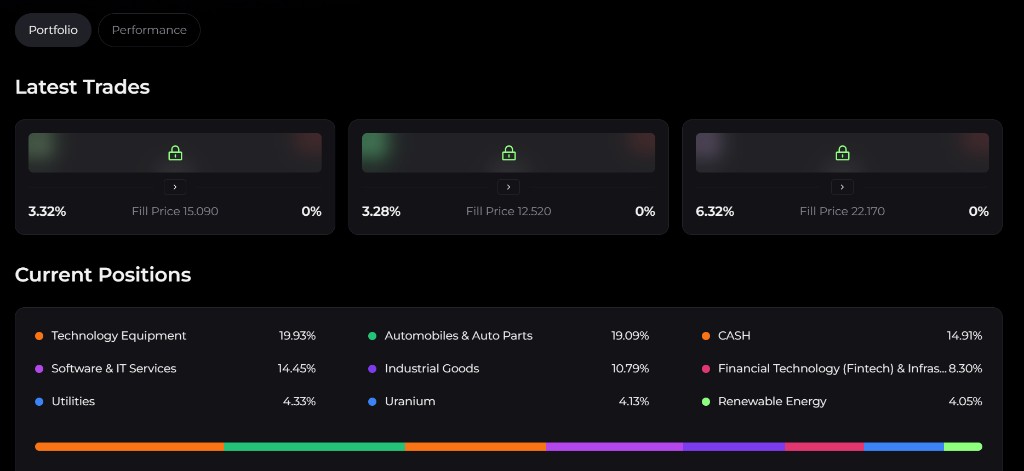
There you can review the latest trade activity and current holdings. Today's Trade shows each name the strategy traded today with its ticker, a Buy or Sell action, and the Fill Price.
When the strategy marks a stock as Sell, it means the system is closing a previously opened long position.
Watch current positions
The Current Positions section shows the strategy's live holdings. Each row includes:
- Symbol
- Price / Cost - current price against cost basis
- P&L - the position's return, shown as a percentage
- Position Size - the position's weight in the portfolio, as a percentage
- Entry Date
Use Position Size to translate the model into your own account. For example, if a name shows a 4.00% position size and your allocation to the strategy is $10,000, the matching position would be roughly $400.
The page also breaks the portfolio down by sector allocation, which is useful for understanding where the strategy is concentrated and how the basket is evolving over time.
This view is especially useful for understanding where the strategy is concentrated and how the basket is evolving over time.
4. Step-by-step action plan
If you want to follow Quant AI Alpha Pick in a disciplined way, a simple routine works well:
- Start of day - open the Portfolio tab and check Today's Trade for any names the strategy bought or sold, then execute the additions at or near the published fill price.
- Near the close - check Today's Trade once more for exits and update your holdings accordingly.
- Portfolio check - regularly compare your own holdings against the Current Positions view so your account remains aligned with the strategy.
Because the strategy publishes its activity on the page rather than pinging you for every trade, checking Today's Trade is the habit that keeps you aligned.
This process is intentionally lighter than day trading. The strategy is meant to be followed consistently, not micromanaged every hour.
5. Why it works
Quant AI Alpha Pick is built around a low-turnover, diversified, mid-term framework.
Instead of chasing constant short-term noise, it aims to hold a basket of higher-conviction names with controlled position sizing and sector diversification. The strategy can also become more defensive when market conditions deteriorate — reducing equity exposure and shifting toward cash during volatile periods, rather than staying fully invested in every environment.
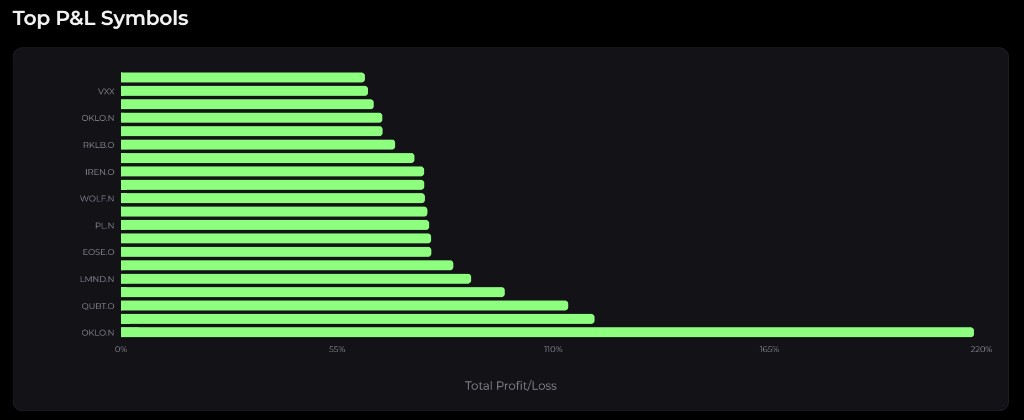
The Performance tab makes that discipline visible over time: it shows the strategy's cumulative return against a benchmark, running statistics, and a Top P&L Symbols breakdown of the biggest individual gainers and losers.
6. Next steps
To get started:
- Open Quant AI Alpha Pick inside Alphio.
- Review the Portfolio and Performance tabs.
- Decide whether you want to follow it manually or mirror it through Copy Trading.
- Check Today's Trade consistently so your holdings stay aligned with the model.
Quant AI Alpha Pick is sold separately as a strategy add-on, on a quarterly or annual subscription — it is not bundled into any subscription tier, from Free through Enterprise. If your account doesn't yet have access, Alphio will surface the unlock flow from the strategy page.
Past performance does not guarantee future results. Invest responsibly.
This page is available as plain Markdown at https://alphio.ai/docs/discover/quant-ai-alpha-pick-tutorial.md. An index of every page, with a one-line summary each, is at https://alphio.ai/docs/llms.txt.