Leaderboard Flow — Copy Trading Guide
Leaderboard Flow lets you find top Polymarket traders, watch their live buys and sells, and copy a single trade in one click. Alphio then tracks your copy: when the trader sells, your copy is sold too; otherwise it stays open until you close it or the market settles.
This is a one-trade copy, not a standing mirror. Copy This Trade copies that one order — one market, one outcome. You can copy the same signal only once.
Find it at: Prediction in the left menu on the web (/social-trade) — the Leaderboard tab opens first; the Prediction view of the Trade tab in the mobile app.
1. Who this is for
This is for Polymarket users who want to:
- Find traders with a strong record — without searching wallet by wallet
- See what those traders are buying and selling in real time
- Copy a trade in one click instead of finding the same market yourself
- Track copied positions in one place until they close or the market settles
2. What's on the page
| Panel | What it shows |
|---|---|
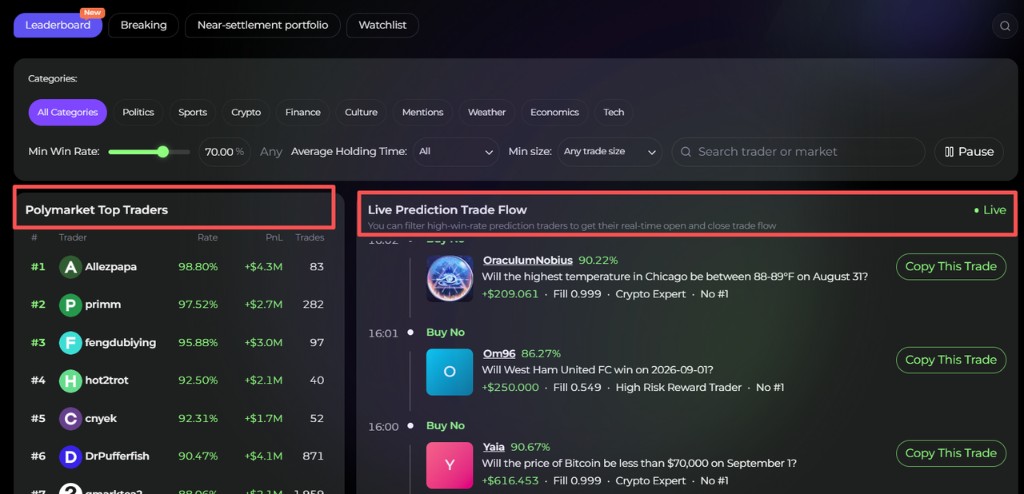
| Polymarket Top Traders | The leaderboard, by category (Politics, Sports, Crypto, Finance, Culture, Mentions, Weather, Economics, Tech, or all) and period (Weekly, Monthly, All) |
| Live Prediction Trade Flow | Real-time opening and closing trades from the traders who pass your filters |
| My Copied Trades | Trades you copied, with entry, current price, P&L and status |
A Key Stats block shows a backtest of the traders currently on the leaderboard. It is built from their current stats, so it favours past winners — past performance does not guarantee future results.
3. How to use it
Filter traders
- Set Min Win Rate with the slider — for example, at 70% the live flow only shows orders from traders whose win rate is at least 70%.
- Optionally filter by category, Average Holding Time and minimum trade size, or search by trader or market.

Watch the flow
- New signals appear as traders act: Buy means they are opening a position; Sell means they are closing one. You can pause the live flow and resume it.
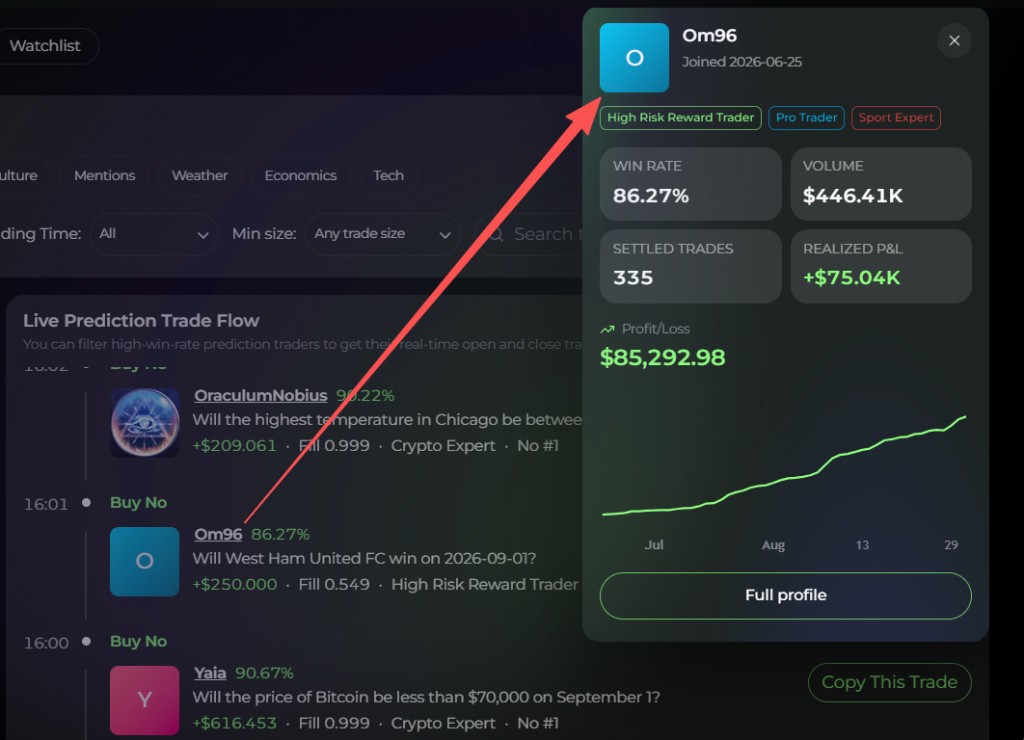
- Click a trader name for a quick profile.
- Click a market card to open the market details.
Copy a trade
- Check the timestamp on the signal so you know it is still fresh.
- On a Buy signal you want to follow, click Copy This Trade.
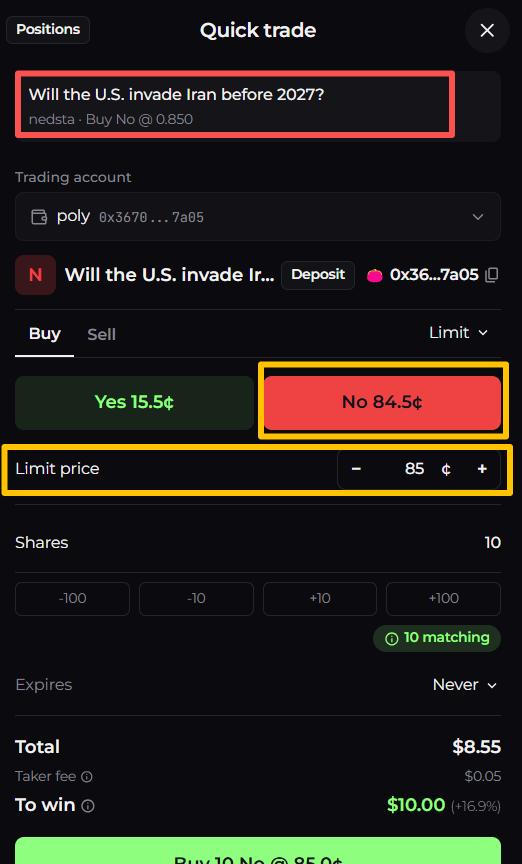
- On the order ticket, compare your price to the trader's price. The copy must be fillable right away — a copy that can't fill immediately is rejected rather than left waiting.
- Once placed, the trade appears under My Copied Trades.
You need a connected and funded Polymarket account — see Prediction markets.
Track your copies
Each row in My Copied Trades shows Entry, current price and P&L, plus a status:
| Status | Meaning |
|---|---|
| Placing… | The copy order is being placed |
| Tracking | Your copy is open. Auto-close on: when the trader sells, Alphio sells your copy |
| Closing… | Your copy is being sold |
| Trader exited | The trader sold, and your copy was sold with them |
| Closed | You closed it with Close |
| Settled | The market resolved. Claim any winnings from your Polymarket positions on your account page |
| Not filled | The copy never opened |
| Can't be closed | What's left couldn't be sold |
| Outcome unknown | Alphio couldn't confirm whether the order filled — check your Polymarket positions before copying again |
While a copy is Tracking, click Close to sell it yourself.
4. Important notes and risk
- Each copy replicates only a single signal — one market, one outcome.
- A trader's past win rate does not guarantee future results. Some traders may use multiple accounts for hedging; verify carefully.
- Some markets have poor liquidity; verify carefully before you copy.
- Slippage, fees, and latency can produce a worse fill than the trader's, or a loss.
- Only use funds you can afford to lose.
For Polymarket funding and order flow, see Prediction markets. To automatically mirror a Hyperliquid Vault instead, see Copy Trading Guide (Hyperliquid).
This page is available as plain Markdown at https://alphio.ai/docs/discover/leaderboard-flow-copy-trading-guide.md. An index of every page, with a one-line summary each, is at https://alphio.ai/docs/llms.txt.