Copy Trading — signals
Automatically mirror Alphio's stock signals into your connected broker account, or copy one of Alphio's crypto strategies as leveraged perpetual orders.
This page covers signal copy trading — stock signals on the broker rail (sections 1–5) and crypto strategy copy (section 6). To mirror a Hyperliquid Vault instead, see the Hyperliquid Copy Trading Guide — it is a different product with different behaviour.
Try the demo below:
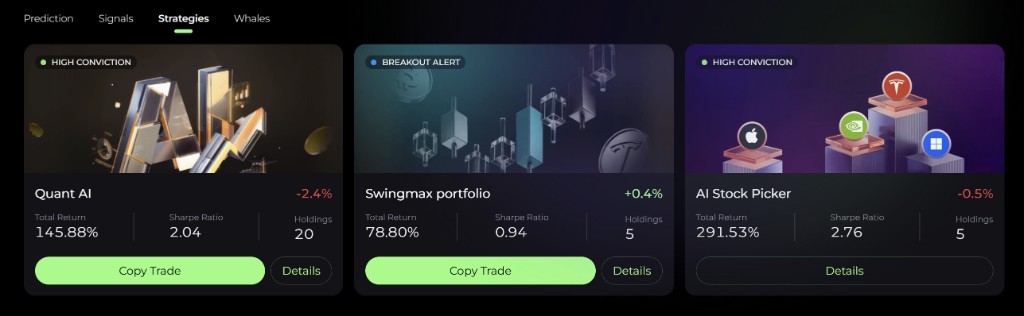
Find it at: the Copy Trade button on a signal or strategy page — for example SwingMax Signal, Event Signal, Day Trading Signal, AI Stock Picker, Quant AI Alpha Pick, SwingMax Portfolio, or the Whales tracker.
Which plan you need depends on the signal:
| Signal | Required |
|---|---|
| SwingMax Signal, Event Signal, AI Stock Picker | Plus or higher |
| Day Trading Signal | Pro or higher |
| Quant AI Alpha Pick, SwingMax Portfolio, Whales | That signal's own add-on, regardless of plan |
If you don't have access, the Copy Trade button prompts you to upgrade. Copying AI Stock Picker and Whales is being rolled out gradually, so it may not be available for every account yet.
1. Signal sources
You start a copy from the signal you want to mirror. The available sources are:
- SwingMax Signal
- SwingMax Portfolio
- Quant AI Alpha Pick
- Day Trading Signal
- Event Signal
- AI Stock Picker
- Whales
Individual traders cannot be copied on this rail — the source is always one of the signals above.
2. The setup wizard
Setting up a copy is a guided flow:
- Choose the account. Pick the connected broker account the copy will trade in.
- Allocation amount. Decide how much capital is reserved for this copy — at least $100. It caps the total position value the copy can hold at any one time. A suggested amount may be shown; below it, some picks may not be purchasable.
- Position sizing. Set the maximum share of your allocated amount that any single stock may take. Confirming this step creates the copy.
- Done. From this point on, every new trade the signal publishes is mirrored into your account.
3. Position sizing
There is one sizing control: the maximum share of your allocated amount that any single stock may take, set as a percentage. Alphio sizes each copied trade proportionally and applies that percentage as a per-stock cap.
4. Stopping a copy
You can stop an active copy from the copy-trader management view, reachable from the same signal pages where copies are created. A stopped copy cannot be restarted — create a new one instead.
When you stop, you choose what happens to open positions. Three options are offered:
- Sell All (pre-selected). The bot sells all positions it holds at market, then stops.
- Default. The bot keeps working out of its positions as the signal closes them, then stops.
- Take Over. The copy relationship ends immediately; the positions stay in your broker account and are yours to manage.
Only Take Over leaves your positions untouched — read the choice before confirming.
5. Adjusting a copy
Mid-stream you can change the allocation amount and the per-stock cap without tearing down and recreating the copy.
- Increase allocation — gives the copy headroom to take new trades or larger sizes; does not retroactively resize positions you already hold.
- Decrease allocation — caps new exposure; if your current exposure already exceeds the new cap, the copy stops opening new positions until exposure drops back below it.
To switch to a different signal, stop the current copy and create a fresh one.
6. Crypto strategy copy (CoinSwing, Day Trade Stock Tokens)
The CoinSwing and Day Trade Stock Tokens pages have their own Copy Trade button. This copy places leveraged perpetual orders with your own funds — on Hyperliquid, or on another exchange the strategy lists — rather than buying shares at a broker.
CoinSwing copy requires Plus or higher. Day Trade Stock Tokens copy requires Pro or higher.
- Account. Choose where the strategy places orders. For Hyperliquid, your wallet needs the trading access described in Hyperliquid Perpetuals.
- Position sizing. Either a fixed margin per trade (at least $10), or a percentage of your balance per entry.
- Leverage. Higher leverage means a smaller adverse move can wipe out the position. A protective stop-loss is placed for you, but it is not guaranteed to fill.
- Balance. Keep enough funds in your perps account — entries are skipped when the balance is insufficient.
Stopping only prevents new entries. Positions already open are not closed: they stay open until the strategy sends its exit signal or, where applicable, until their take-profit / stop-loss orders or the end-of-day close. Close them yourself if you want out sooner.
This page is available as plain Markdown at https://alphio.ai/docs/trade/copy-trading.md. An index of every page, with a one-line summary each, is at https://alphio.ai/docs/llms.txt.