DayTrading Signal Tutorial
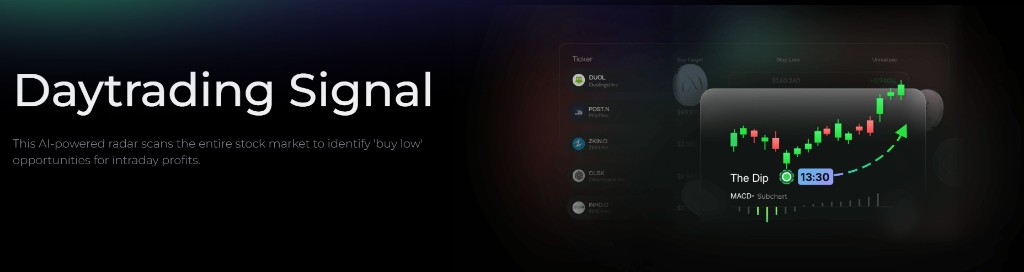
DayTrading Signal is Alphio's AI-powered partner for intraday trading. It scans fast-moving markets for "buy low, sell high" setups with pre-mapped entries, exits, and risk levels, so you can move quickly without second-guessing.
Try the demo below:
Find it at: /daytrading-signal — or, on the home page (Dashboard), click the Daytrading Center card in the Copy Stock Signal row (web and app).
Included with Pro and above — not included in Plus, and not sold as a separate add-on. Copy Trade also requires Pro and above. See Subscription tiers.
1. Key Stats: your performance snapshot
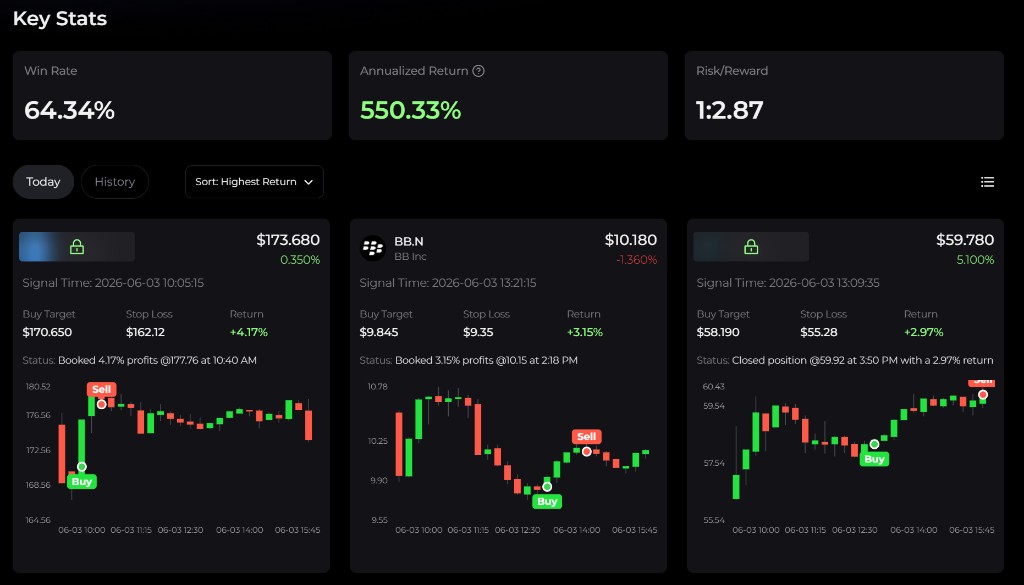
At the top of the dashboard, you'll see three headline numbers:
| Metric | What it means |
|---|---|
| Win Rate | Percentage of closed trades that finished profitably |
| Annualized Return | Normalized historical performance, useful as context but not a guarantee |
| Risk/Reward | The expected upside relative to the amount risked, such as 1:2.87 |
These metrics give you a quick sense of how the system has been performing and what kind of payoff profile it is currently generating.
2. Signal cards: your trade compass
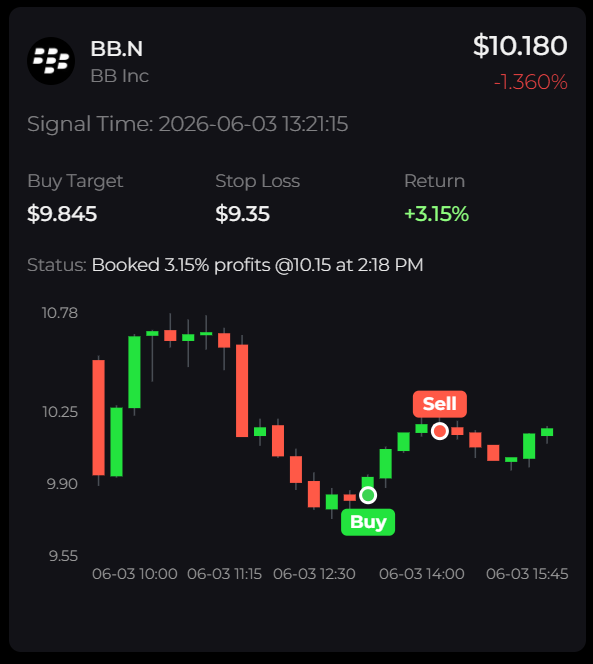
Each signal card is designed to be a complete intraday trade idea.
Typical card fields include:
- Signal Time - when the setup was identified
- Buy Target - the suggested entry zone
- Stop Loss - the predefined risk boundary
- Return - the live or realized performance of the setup
- Mini chart - a compact chart with Buy and Sell markers
- Status - the trade suggestion and current progress of the signal, for reference
The point of the card is simple: entry, exit, and risk are already mapped, so you spend less time building a plan from scratch.
3. Why it was built
Day trading is stressful. There are too many tickers, too many sudden moves, and constant pressure to make good decisions quickly.
DayTrading Signal is designed to solve three common trader pain points:
- Timing entries - instead of guessing, you get a defined Buy Target
- Managing losses - Stop Loss levels are predefined so risk remains bounded
- Capturing same-day profits - signals are designed around intraday exits, often before the closing bell
The goal is clarity and discipline. Rather than watching charts nonstop, you get a structured setup that helps you focus on execution.
4. How to use it
Here is a simple playbook for following the product:
- Open the Today view. Start with the latest signals during active market hours, and make sure notifications are enabled so you do not miss new setups.
- Pick a signal card. Review the Signal Time, Buy Target, and Stop Loss first.
- Plan the trade. Decide your position size, place the entry near the signal zone, and keep the stop where the setup defines it.
- Manage the exit. You can follow the Sell marker, close before the market ends, or exit immediately if the stop is hit.
Because DayTrading Signal is built for same-session trades, it should generally not be treated as an overnight strategy.
To have the signals executed for you, click Copy Trade in the page header and connect a US stock broker account. Copy Trade for DayTrading requires Pro and above. See Copy trading.
5. Best practices
To get the most from DayTrading Signal:
- Size by risk, not gut feel. Keep your maximum loss per trade consistent.
- Do not chase. If price has already run far beyond the Buy Target, it is usually better to skip than to force a late entry.
- Honor stop loss. A failed setup is normal; discipline is what protects your edge.
- Review History. Past signals help you understand how the system behaves and where you can improve your own execution.
6. Final thoughts: trade the day with confidence
DayTrading Signal is built to simplify intraday decisions: what to buy, where risk should be capped, and when to get out.
Use it as a structured guide, respect the risk levels, and let the AI do the heavy lifting on scanning and setup formation.
Stay alert, stay disciplined, and use DayTrading Signal as an edge in fast-moving intraday markets.
This page is available as plain Markdown at https://alphio.ai/docs/discover/daytrading-signal-tutorial.md. An index of every page, with a one-line summary each, is at https://alphio.ai/docs/llms.txt.