Most retail trading workflows still assume a human is always watching. In practice, that means bouncing between charts, news, social feeds, on-chain tools, and exchange screens, then making time-sensitive decisions under pressure. When attention breaks, execution breaks, and the edge often disappears.
That is why OpenClaw-style agent setups have become popular. They promise an AI that can browse, click, pull data, and trigger actions for you. In reality, many users find that these setups behave more like a toolkit than a product. You still have to wire together data sources, strategy logic, and execution, and when something unexpected happens it is hard to pinpoint whether the issue came from the prompt, the tool chain, the environment, or the venue response. Security and permission scope also become real concerns once agents touch sensitive accounts and workflows.
Just as important, the cost profile can be difficult to predict. Reporting on the OpenClaw boom has highlighted that token costs are often an early setback, especially when agents run multi-step workflows that repeatedly call tools and carry long context. Users have described burning through large token counts on single tasks and seeing daily costs add up quickly, which makes spend feel opaque until the bill arrives. Those multi-step loops can also add latency, which is exactly the wrong tradeoff when execution timing matters.
Alphio is built to solve the same always-on problem, but with a trading-first design. Instead of asking you to assemble a fragile stack, Alphio turns intent into durable tasks, keeps automation within clear guardrails, and keeps decisions traceable so you remain in control.
In day-to-day usage, many users start with crypto because markets move 24/7 and opportunities are time-sensitive. That is why Alphio's crypto execution is built around perpetuals on Hyperliquid. At the same time, Alphio supports stock workflows through brokerage linking, so your portfolio curve, P&L, and tasks can live in one place across asset types.
How Alphio works
Alphio is engineered as a closed loop with three layers that work together. The perception layer aggregates market intelligence such as price action, liquidity signals, global news, social sentiment, technical indicators, and on-chain flows. The reasoning layer uses large language models to analyze opportunities, assign confidence, and provide clear explanations. The execution layer runs automation such as conditional logic, trailing stops, scheduled tasks, and proactive alerts, then routes orders through connected venues while keeping user funds at those venues.
This structure matters because most retail workflows break at the handoff between insight and action. Alphio reduces that gap by turning the workflow into something the system can keep running consistently, even when attention breaks.
Skills behind the agent
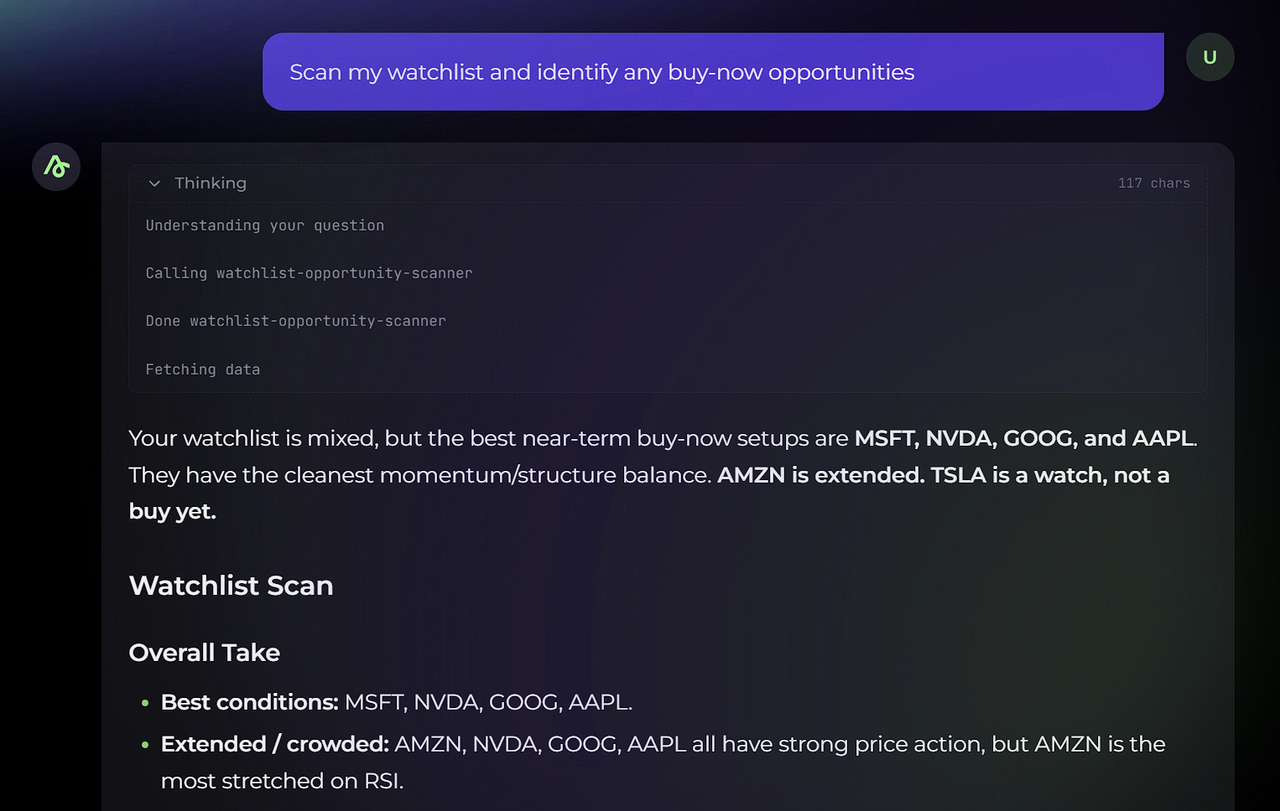
Alphio's agentic behavior is powered by a library of specialized skills. You can think of skills as building blocks the system uses to research, analyze, monitor, and execute as one workflow. This is also what makes tasks feel operational rather than informational. A single instruction can trigger the right sequence behind the scenes, and the result can be tracked and reviewed instead of disappearing like a one-time chat reply.
In practice, the skill library covers common trader workflows such as market briefs and recaps, screening and analysis, sentiment and prediction monitoring, task creation, and trading, plus crypto-specific utilities such as token and address investigation. This is the foundation that allows Alphio to support both long-running tasks and automated trading without forcing users to stitch together separate tools.
Tasks are the core product primitive
A task is a durable instruction that Alphio will keep running for you. It can be a scheduled report, a proactive alert, or a trading action that executes when conditions are met. Tasks are the best place to start because they turn a one-time request into system behavior, which means the workflow continues even when you are not watching.
When you create a scheduled task, Alphio confirms the schedule and shows a task card that stays visible, including its cadence and status. That persistent visibility is intentional. It makes automation easier to trust because you can always see what will happen next and when.
Scheduled tasks
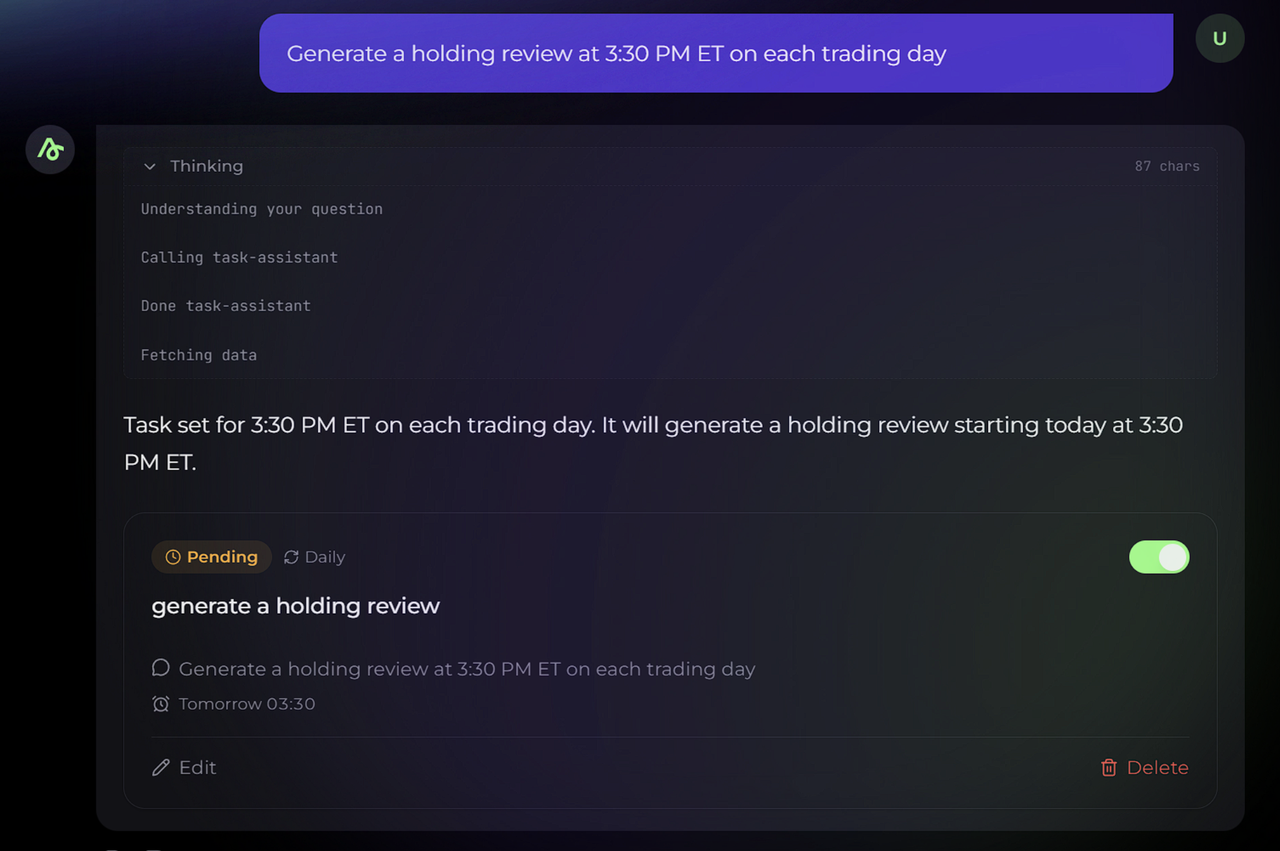
Scheduled tasks are for recurring workflows you would normally do manually, such as daily reviews or premarket briefs. They are designed to reduce routine work, keep you consistent, and make sure the same process happens even on busy days.
- Generate a holding review at 3:30 PM ET on each trading day.
- Generate a premarket watchlist brief at 8:15 AM ET on each trading day with catalysts and key price levels.
Proactive alerts
Proactive alerts are for moments that matter, when you want to know immediately but you do not want to watch charts all day. This is the simplest way to get value without enabling execution.
- Notify me when a symbol shows a sell signal.
- Notify me when a symbol drops below a specific price level.
Trading tasks
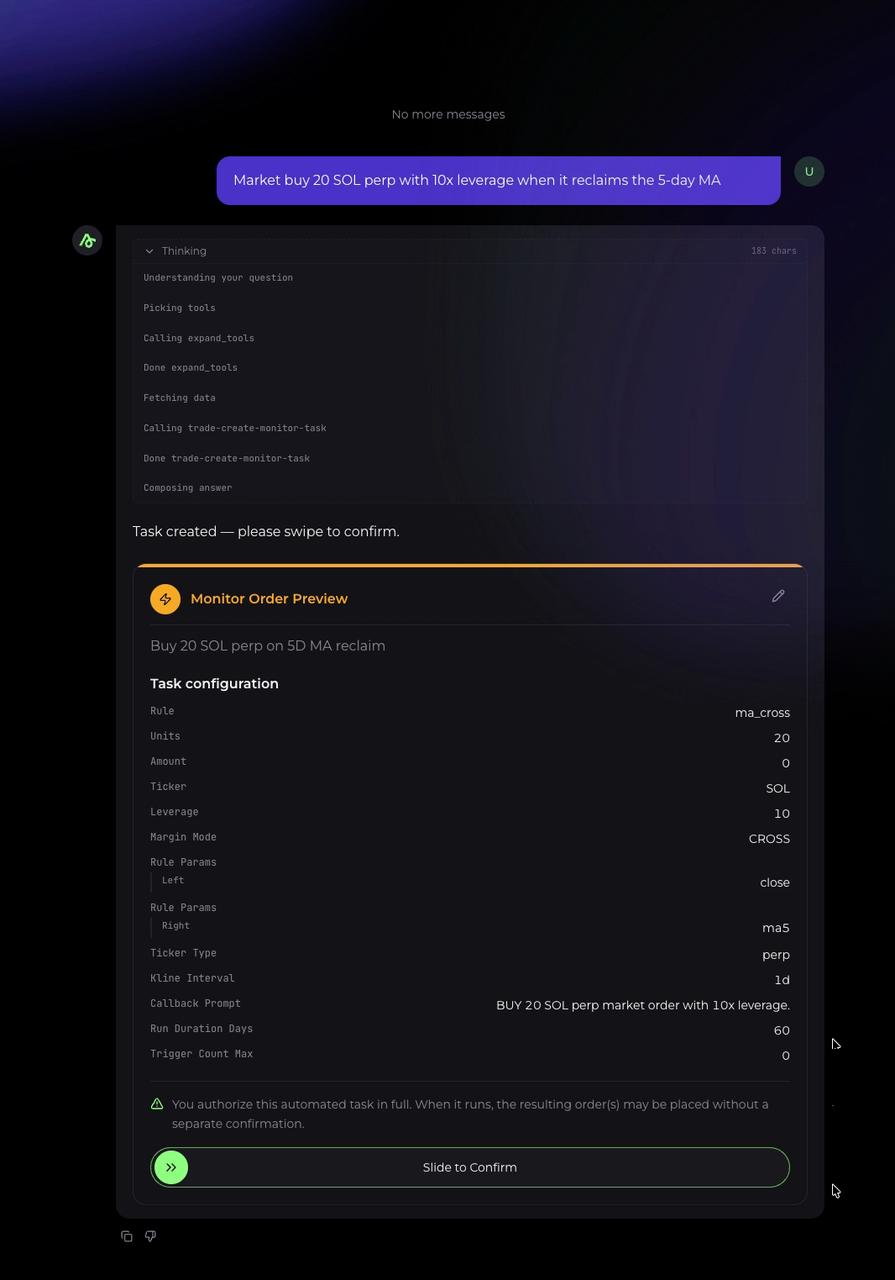
Trading tasks connect the same natural language interface to execution. They are designed for users who already know the rule they want to run and want Alphio to handle monitoring and follow-through.
- Market sell all BTC perp holdings when it breaks below the 20-day MA.
- Immediately send a market sell order for QQQ if it gaps down more than 1.5% at the open.
These examples matter because they reflect the intended usage. You express intent at the level of a trading plan, and the system keeps watching and acting within the boundaries you set.
Linking accounts and permissions
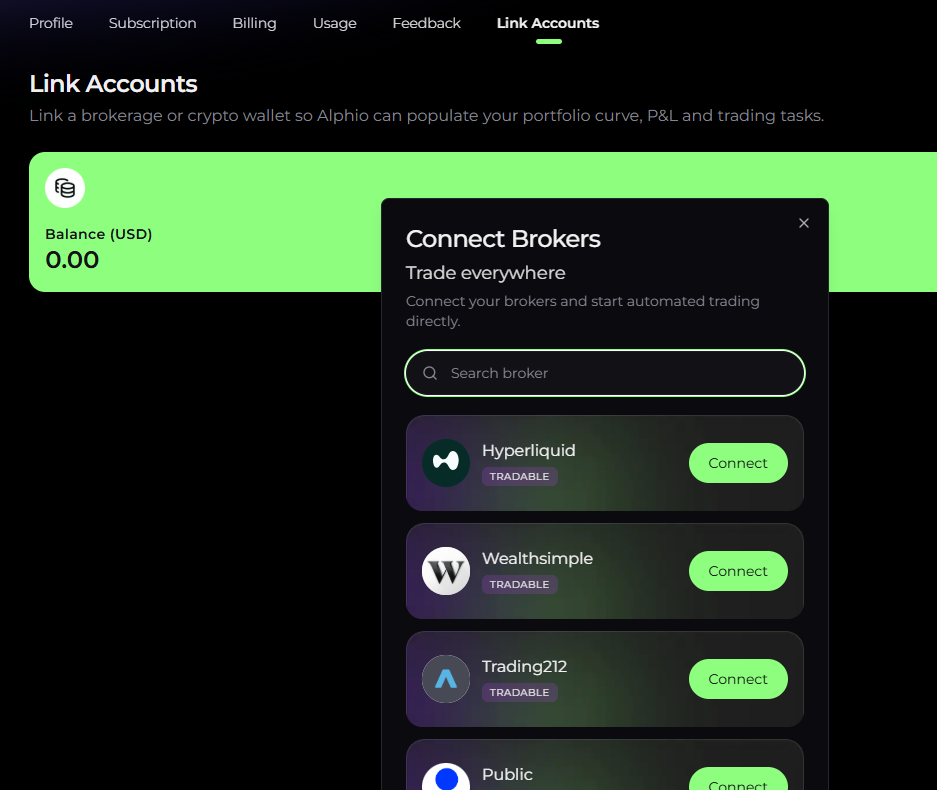
Alphio supports linking both brokerage accounts and crypto connections from the Link Accounts page. Linking is used to populate portfolio curve, P&L, and trading tasks, and the UI presents both Stock and Crypto as first-class options.
Connection is optional. If you are not connected to an account, tasks run as alerts and reports. When you connect Hyperliquid, Alphio can execute perpetuals tasks. When you link a brokerage, Alphio can support stock workflows through that connection.
The trust model is meant to stay simple. Alphio is built so funds remain with connected brokers or venues, it does not require seed phrases, and permissions can be scoped and revoked. The platform is also designed to keep actions traceable through audit trails so users can understand what happened and why.
What Alphio supports today
Crypto execution
Alphio's crypto execution focuses on perpetuals, with trading supported by Hyperliquid. This is where Alphio's automation feels most natural because monitoring, decision-making, and execution can run continuously.
Stocks
Alphio supports stock workflows via brokerage linking. Once linked, Alphio can use that connection to populate portfolio information and support tasks tied to your stock workflow.
Prediction insights
Alphio includes prediction market insights, including Polymarket monitoring, so users can discover markets and track odds and liquidity shifts. Prediction market execution will be added in the next release. Until then, this module is designed for discovery, monitoring, and task-based tracking rather than placing positions.
Discover: finding opportunities worth automating
Signals and Copy Signal
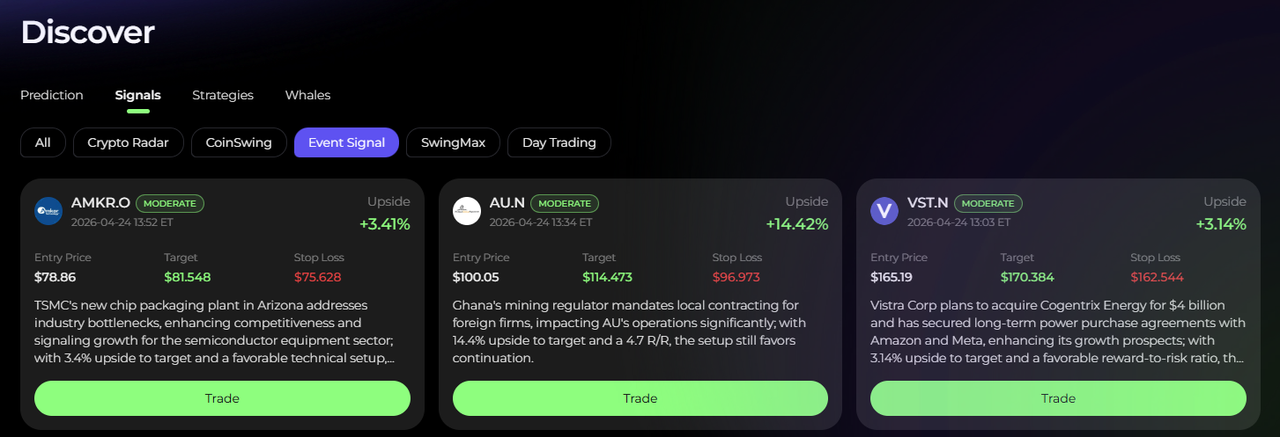
Signals are single setups designed to be acted on. Because signal coverage includes both perpetuals and stocks, you can treat Signals as a unified feed of trade plans and then decide whether to turn a setup into execution.
When you click Copy Signal, Alphio automatically creates the full order set for that setup. This includes a limit entry order, a limit take profit order, and a stop loss order. The practical value is speed and correctness. You do not have to manually translate a setup into multiple orders under time pressure, and you avoid common operational mistakes such as forgetting protection or misplacing exits.
If the relevant account is connected, Alphio routes the orders to the correct venue based on the signal type. Perpetuals signals route to Hyperliquid. Stock signals route to your linked brokerage. If you are not connected, Alphio can still save the setup as a task and run it in alert-only mode, so you can review and decide before enabling execution.
Strategies and Copy Trade
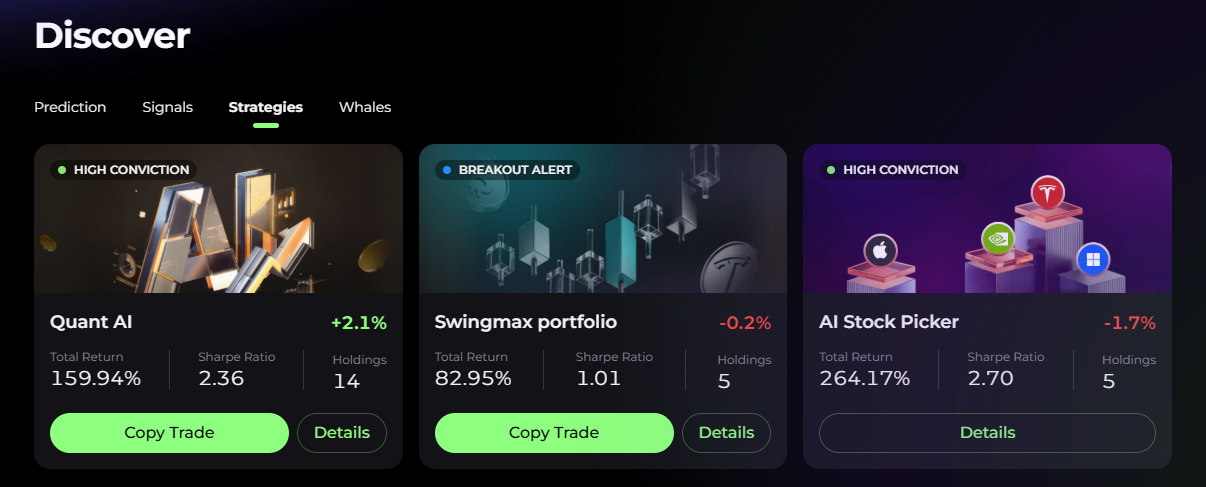
Strategies are designed for continuous execution, and they are currently stocks-only. When you click Copy Trade, Alphio follows a stock strategy end-to-end and places the strategy's trades automatically through your linked brokerage account.
To keep strategy execution consistent, take profit and stop loss levels are optimized by the strategy and are not user-configurable. This is intentional because strategy performance typically depends on consistent execution logic rather than per-user edits that change behavior.
Prediction insights
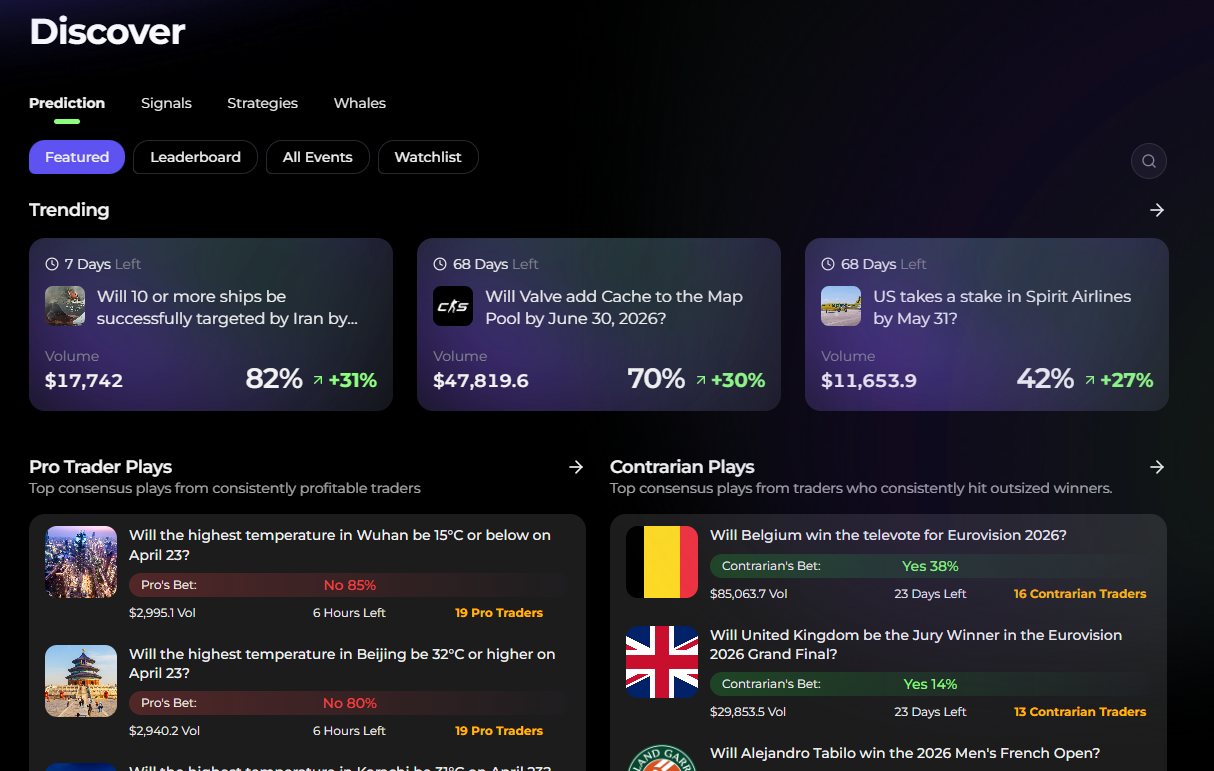
Prediction features are available for discovery and monitoring today. You can use them to spot event-driven opportunities, track odds and liquidity shifts, and set tasks that keep watching for meaningful changes.
Prediction market execution will be added in the next release. Once that update is live, Alphio will be able to move from monitoring to placing positions as part of the same closed-loop workflow.
Monitoring, performance, and auditability
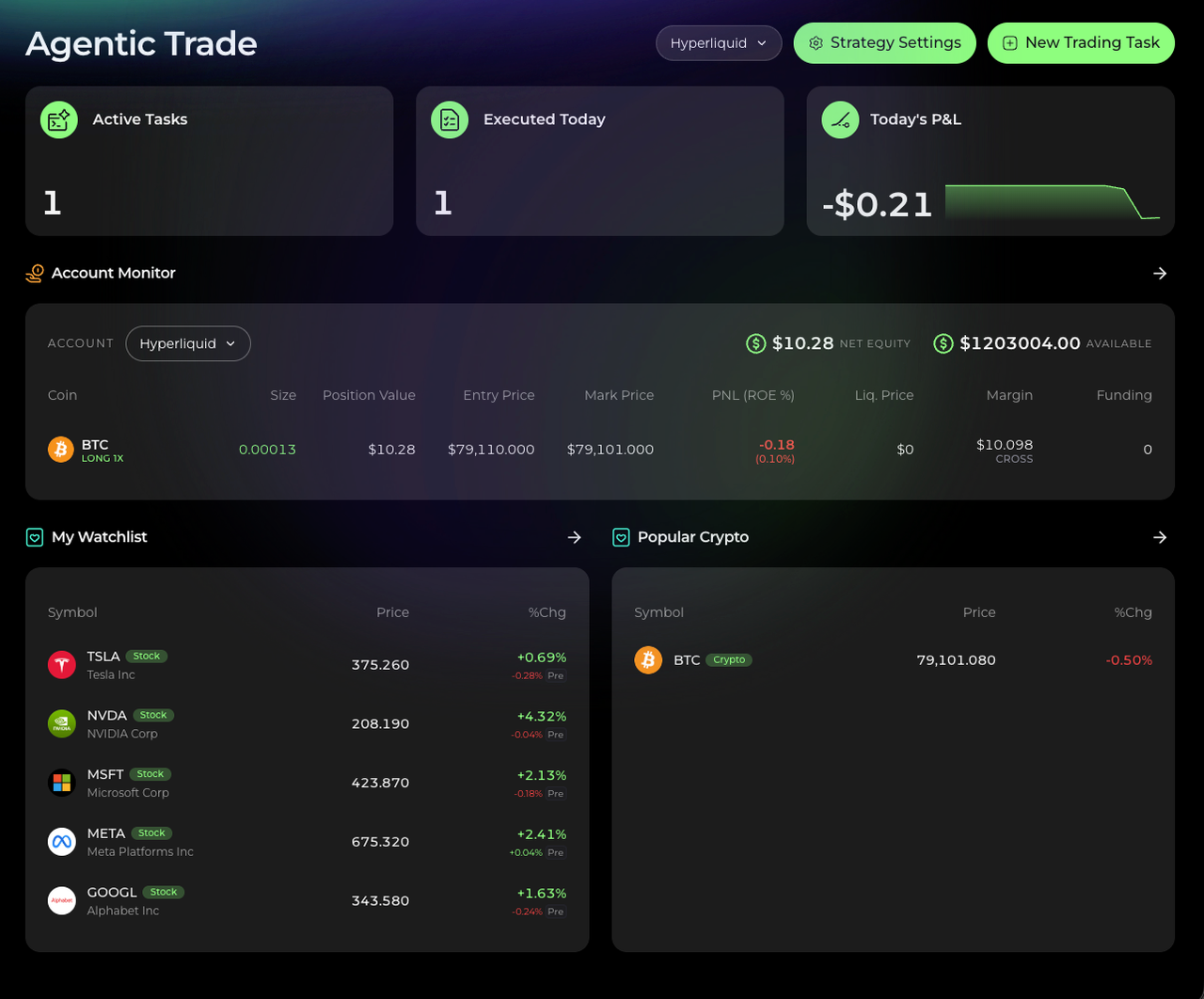
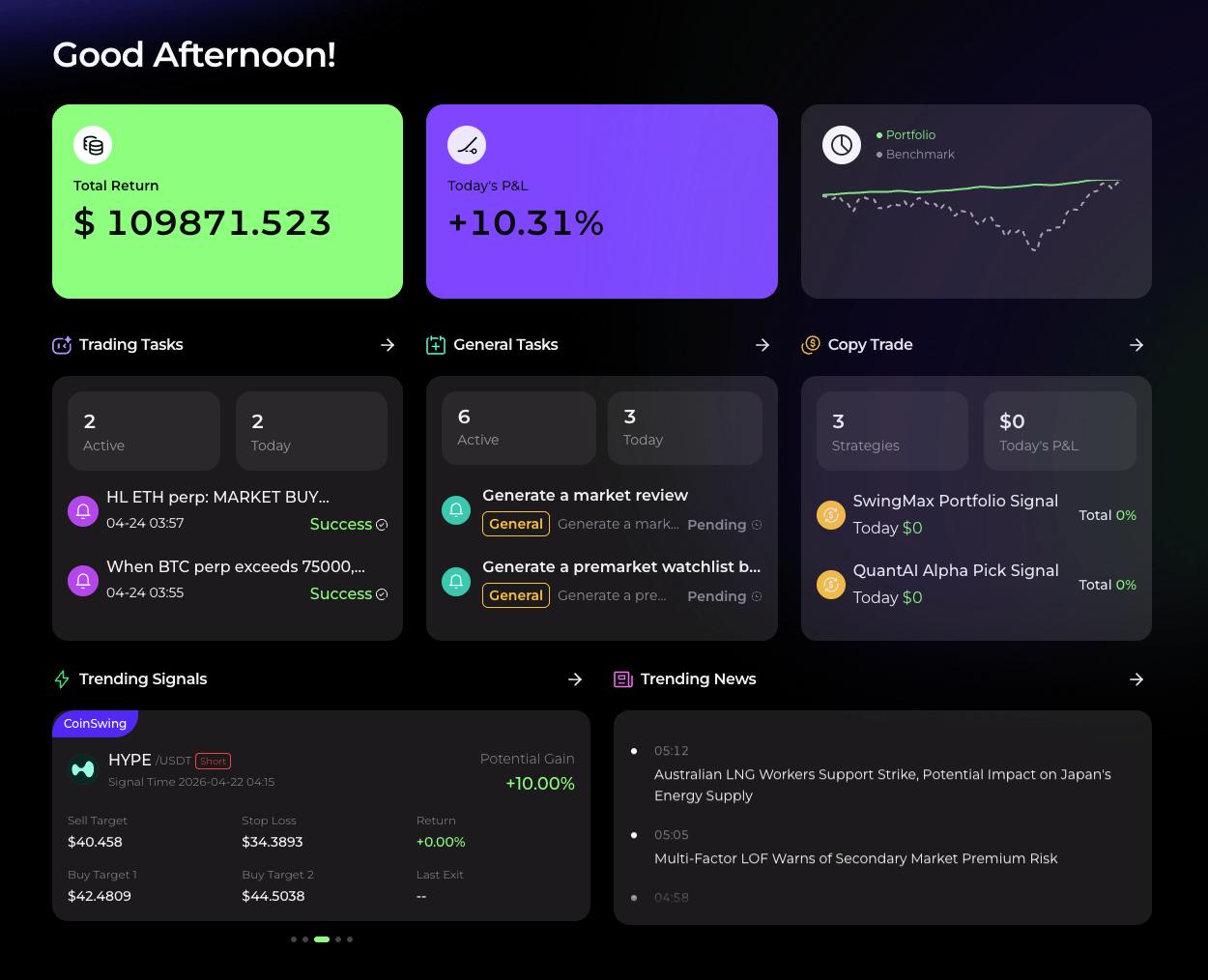
Your AI Trade area is the control center for what Alphio is running. It surfaces active tasks, executions today, P&L, and your watchlist, so you can quickly understand what is live and what changed.
Alphio is also built around traceability. Every meaningful action should be captured with intent, constraints, venue responses, and outcomes, so you can answer what happened and why it happened without guesswork. This becomes especially important as you move from alert-only workflows into automated execution.
Common questions
Do I need to connect an account to use Alphio?
No. You can run alert-only tasks and scheduled briefs without connecting any account. Connecting accounts is only required when you want Alphio to place trades or when you want portfolio and P&L to be populated from linked venues.
Can I trade prediction markets today?
Not yet. Alphio supports prediction market insights and monitoring today, and prediction market execution will be added in the next release.
What is the difference between Copy Signal and Copy Trade?
Copy Signal turns one chosen setup into a complete set of orders, including limit entry, limit take profit, and stop loss. Copy Trade follows a stock strategy automatically over time, and profit and stop levels are strategy-optimized and not user-configurable.
How do I set up automated trading?
A practical way to start is to create tasks first, then enable execution once you are satisfied with the behavior. If you want trade execution for crypto perpetuals, connect Hyperliquid and use either chat instructions for rule-based actions or Copy Signal to automatically generate the limit entry, take profit, and stop loss order set for a chosen setup.
If you want strategy automation, use Copy Trade, which is currently stocks-only, and link a supported brokerage so the strategy can execute through your connected account.
Is my money safe?
Alphio is self-custodial by design, meaning it does not hold your funds. Funds remain with the connected venue, Alphio does not ask for seed phrases, and permissions can be scoped and revoked. The platform is also designed to keep actions traceable through an audit trail so you can understand what happened and why.
Are you a trading platform?
Alphio is not the exchange or broker. It is an agentic workflow layer that monitors, reasons, and routes orders to the venues you connect, while keeping your funds with those venues.
What trading platforms do you support right now?
For crypto perpetuals, Alphio supports Hyperliquid. For stocks, Alphio supports brokerage linking and trading through the providers shown in Link Accounts, including Webull US, Trading212, tastytrade, Alpaca, E*Trade, Wealthsimple, Stake Australia, Tradier, Public, Alpaca Paper, TradeStation, and Moomoo.